# The Experiments

Author: Ishwar Jangid
Canonical URL: https://ishwarj.com/papers/vllm/part-5-the-experiments/
Updated: 2026-10-24
Source: https://github.com/ishwar6/ishwar-books/blob/main/content/papers/vllm/part-5-the-experiments.md


Parts 1 to 4 built the idea. Store each request's KV cache in small blocks, hand them out on demand, and share them when requests can. This part asks the question that decides whether any of it matters. On a real GPU with real requests, does vLLM serve more people at the same speed?

Each piece below shows the exact lines of the paper, then explains them. Next to the paper's numbers we put our own: a small serving simulator fed with real request lengths. Those numbers come from a laptop, not from the paper's A100 GPUs, and the page says so each time.

> [!DEFINITION] Definition boxes
> A yellow box like this explains one technical word, the first time that the word occurs. If you know the word, skip the box.

Parts 3 and 4 opened the boxes of vLLM one by one. This part closes them again. It treats the whole system as one machine: requests go in on the left, answers come out, and a stopwatch measures each request. The map below is the paper's Figure 4, redrawn. The highlighted scheduler, with its KV cache manager, is the piece that changes from one system to the next.

<figure class="fig"><svg viewBox="0 0 720 380" role="img" aria-label="The vLLM architecture as a map. Requests on the left go to a scheduler in the centre, which holds the KV cache manager with block tables and GPU and CPU block allocators. The scheduler is highlighted. On the right are workers 0 to N-1, each with a cache engine and a model shard. A band at the bottom says what the tests measure from outside."><defs><marker id="ah" viewBox="0 0 10 10" refX="9" refY="5" markerWidth="7" markerHeight="7" orient="auto-start-reverse"><path class="arrow" d="M0,0L10,5L0,10z"/></marker><marker id="ah-on" viewBox="0 0 10 10" refX="9" refY="5" markerWidth="6" markerHeight="6" orient="auto-start-reverse"><path class="arrow-on" d="M0,0L10,5L0,10z"/></marker><marker id="ah-2" viewBox="0 0 10 10" refX="9" refY="5" markerWidth="6" markerHeight="6" orient="auto-start-reverse"><path class="arrow-2" d="M0,0L10,5L0,10z"/></marker></defs><text class="t-title" x="20.0" y="24.0" text-anchor="start">You are here: Part 5 tests the whole system from the outside</text><rect class="box" x="20.0" y="120.0" width="130.0" height="120.0" rx="10"/><text class="t-note" x="85.0" y="146.0" text-anchor="middle">Requests</text><text class="t-tick" x="85.0" y="170.0" text-anchor="middle">prompt lengths</text><text class="t-tick" x="85.0" y="188.0" text-anchor="middle">from ShareGPT</text><text class="t-tick" x="85.0" y="206.0" text-anchor="middle">or Alpaca, at</text><text class="t-tick" x="85.0" y="224.0" text-anchor="middle">random times</text><rect class="box-on" x="190.0" y="60.0" width="270.0" height="250.0" rx="12"/><text class="t-note" x="325.0" y="84.0" text-anchor="middle">Scheduler</text><text class="t-tick" x="325.0" y="102.0" text-anchor="middle">what the baselines replace</text><rect class="box" x="210.0" y="116.0" width="230.0" height="178.0" rx="10"/><text class="t-note" x="325.0" y="138.0" text-anchor="middle">KV cache manager</text><rect class="box-1" x="226.0" y="152.0" width="198.0" height="34.0" rx="6"/><text class="t-tick" x="325.0" y="174.0" text-anchor="middle">Block tables</text><rect class="box-1" x="226.0" y="198.0" width="198.0" height="34.0" rx="6"/><text class="t-tick" x="325.0" y="220.0" text-anchor="middle">GPU block allocator</text><rect class="box-1" x="226.0" y="244.0" width="198.0" height="34.0" rx="6"/><text class="t-tick" x="325.0" y="266.0" text-anchor="middle">CPU block allocator</text><rect class="box" x="510.0" y="60.0" width="190.0" height="74.0" rx="10"/><text class="t-note" x="522.0" y="80.0" text-anchor="start">Worker 0</text><rect class="box-2" x="522.0" y="92.0" width="80.0" height="30.0" rx="6"/><text class="t-tick" x="562.0" y="112.0" text-anchor="middle">Cache engine</text><rect class="box-3" x="610.0" y="92.0" width="80.0" height="30.0" rx="6"/><text class="t-tick" x="650.0" y="112.0" text-anchor="middle">Model shard</text><rect class="box" x="510.0" y="146.0" width="190.0" height="74.0" rx="10"/><text class="t-note" x="522.0" y="166.0" text-anchor="start">Worker 1</text><rect class="box-2" x="522.0" y="178.0" width="80.0" height="30.0" rx="6"/><text class="t-tick" x="562.0" y="198.0" text-anchor="middle">Cache engine</text><rect class="box-3" x="610.0" y="178.0" width="80.0" height="30.0" rx="6"/><text class="t-tick" x="650.0" y="198.0" text-anchor="middle">Model shard</text><rect class="box" x="510.0" y="232.0" width="190.0" height="74.0" rx="10"/><text class="t-note" x="522.0" y="252.0" text-anchor="start">Worker N-1</text><rect class="box-2" x="522.0" y="264.0" width="80.0" height="30.0" rx="6"/><text class="t-tick" x="562.0" y="284.0" text-anchor="middle">Cache engine</text><rect class="box-3" x="610.0" y="264.0" width="80.0" height="30.0" rx="6"/><text class="t-tick" x="650.0" y="284.0" text-anchor="middle">Model shard</text><line class="path" x1="150.0" y1="180.0" x2="188.0" y2="180.0" marker-end="url(#ah-on)"/><line class="edge" x1="460.0" y1="150.0" x2="508.0" y2="97.0" marker-end="url(#ah)"/><line class="edge" x1="460.0" y1="185.0" x2="508.0" y2="183.0" marker-end="url(#ah)"/><line class="edge" x1="460.0" y1="220.0" x2="508.0" y2="269.0" marker-end="url(#ah)"/><rect class="box-ghost" x="20.0" y="328.0" width="680.0" height="40.0" rx="8"/><text class="t-tick" x="360.0" y="353.0" text-anchor="middle">Measured outside: request rate in (requests per second), and for each request: time in the system / tokens written</text></svg><figcaption>The vLLM architecture, redrawn from the paper's Figure 4 as a map. Part 5 measures it from the outside. Each baseline keeps the workers and the model, and replaces the highlighted scheduler and memory manager with its own.</figcaption></figure>

## How a serving system is tested

Before we read the paper's tests, we need the shape of any serving test. It is the same for a web server, a database or a language model.

> [!NOTE] Where this idea comes from: load testing
> Engineers tested web servers and databases this way long before language models. A program called a **load generator** plays thousands of users. It sends requests at a set pace and records when each answer comes back. Then it raises the pace and repeats.
>
> Think of testing a restaurant kitchen. You send in diners at one table a minute, then two, then three. At each pace you note how long a diner waits for the food. At some pace the kitchen cannot keep up, and the waits explode. That pace is the kitchen's capacity.

A serving test has three inputs. The first is the **requests**: for us, a prompt length and an answer length each. The second is the **arrival times**: when each request reaches the server. The third is the **server** itself, the system under test. The test keeps the first two fixed and swaps the third.

The test then reads two kinds of numbers. One is how much work the server finishes per second. The other is how long each user waits. The next two boxes name them.

> [!DEFINITION] Throughput
> The work a server finishes per second: requests per second, or tokens per second. Say a server finishes 3 requests of 100 tokens each in 2 seconds. Its throughput is 1.5 requests per second, or 150 tokens per second.

> [!DEFINITION] Latency
> The time from the moment a request arrives to the moment its last token is written. It includes the time the request waits in the queue before the server starts on it.

A good server has both: high throughput and low latency. The two pull against each other. A server can raise its throughput by packing more requests into each step, but each request then waits longer. So the paper does not report one number. It reports a curve: latency at each request rate.

## The test bench {§6.1}

> [!PAPER] · §6.1 · page 10
> [![The paragraph on model and server configurations, with 13B, 66B, and 175B parameters, LLaMA with 13B parameters and NVIDIA A100 highlighted](https://ishwarj.com/img/papers/vllm/p5-setup.pngs/vllm/p5-setup.png)](/img/papers/vllm/p5-setup.png)
> [![Table 1 of the paper: for 13B, 66B and 175B models, the GPUs, total GPU memory, parameter size, memory for KV cache and maximum number of KV cache slots, with the last two rows highlighted](https://ishwarj.com/img/papers/vllm/p5-table1.png/vllm/p5-table1.png)](/img/papers/vllm/p5-table1.png)
>
> **What it says:** the tests use OPT models with "13B, 66B, and 175B parameters" and LLaMA with "13B parameters", on "NVIDIA A100" GPUs in the cloud. Table 1 gives each server's memory for the KV cache (12 GB, 21 GB and 264 GB) and the number of KV cache slots (15.7K, 9.7K and 60.1K).
>
> **What it means:**
>
> Three servers, from one GPU to eight, as Part 4 explained. The last row of the table matters most for this part. A slot holds the keys and values of one token. The 13B server has room for 15.7 thousand tokens of cache, all requests together, and every scheduler in this part fights over those slots.

> [!DEFINITION] KV cache slot
> Room for the keys and values of one token, in every layer of the model. For OPT-13B one slot is 800 KB. A server with 15.7K slots can keep 15.7 thousand tokens in memory at once, shared among all its running requests.

Table 1 is a division: the memory for the KV cache over the size of one slot, from Part 2. A tiny case first. If one slot were 1 MB and the cache had 10 MB, there would be 10 slots. We check the real table with the real model configurations. The function gives the bytes of one slot; look at the last two columns of the output, ours and the paper's:

```python
def kv_bytes_per_token(layers, hidden, bytes_per_value=2):
    """A key and a value (2) of `hidden` numbers in every layer, 2 bytes each in FP16."""
    return 2 * layers * hidden * bytes_per_value
```

```text
== 1. Table 1: KV cache slots = memory for the KV cache / KV cache of one token
model     layers hidden  KB/token KV memory slots (GiB)  Table 1
OPT-13B       40   5120       800     12 GB      15,729    15.7K
OPT-66B       64   9216     2,304     21 GB       9,557     9.7K
OPT-175B      96  12288     4,608    264 GB      60,075    60.1K
our simulated server: 15,728 slots (OPT-13B on one A100); with 2048-token requests that is 7.68 requests
the same 15,728 slots of OPT-125M take 580 MB, so a laptop can hold them
```

Two rows match exactly once we read "GB" as binary gigabytes (GiB, $$2^{30}$$ bytes). For OPT-66B we get 9,557 slots, a little under the table's 9.7K; the table probably rounds the memory. The first row is our server for the rest of this part: 15,728 slots. Only 7.68 requests of the full 2,048 tokens fit in it. Remember that number.

## The workloads {§6.1}

> [!PAPER] · §6.1 · page 10
> [![The workloads paragraph, with input and output lengths to synthesize client requests, 8.4x longer input prompts and 5.8x longer outputs, and Poisson distribution highlighted](https://ishwarj.com/img/papers/vllm/p5-workloads.pnglm/p5-workloads.png)](/img/papers/vllm/p5-workloads.png)
> [![Figure 11 of the paper: histograms of input and output lengths for ShareGPT, with means 161.31 and 337.99, and for Alpaca, with means 19.31 and 58.45](https://ishwarj.com/img/papers/vllm/p5-figure11.pngllm/p5-figure11.png)](/img/papers/vllm/p5-figure11.png)
>
> **What it says:** the workloads come from two datasets, ShareGPT and Alpaca. The authors use only their "input and output lengths to synthesize client requests". ShareGPT has "8.4× longer input prompts and 5.8× longer outputs" than Alpaca. Arrival times follow a "Poisson distribution" at different request rates.
>
> **What it means:**
>
> A serving test needs two things: how long each request is, and when it arrives. The words of a request do not matter to memory, only its lengths do.
>
> ShareGPT is a set of real conversations that users shared from a chat service, with long prompts and long answers. Alpaca is a set of short instructions with short answers. The two datasets are the two ends of the scale. Short requests leave less room for memory waste than long ones.

> [!NOTE] Where the two datasets come from
> **ShareGPT** comes from a website of the same name. From December 2022, users of a popular chat assistant could share their conversations there with one click. People then collected tens of thousands of these shared chats into a public dataset. Its prompts are what real users typed, and its answers are what a strong model wrote back. So it is a fair picture of chat traffic: long questions, pasted documents, long answers.
>
> **Alpaca** comes from a Stanford project of 2023. It started from 175 example tasks that people had written by hand. Then a GPT-3.5 model wrote 52,000 more instructions with answers in the same style, a method called self-instruct. The first entry is "Give three tips for staying healthy." Most entries are that short, and so are their answers. The team used the data to fine-tune a 7B LLaMA model.
>
> Neither dataset has timestamps. Nobody recorded when each chat happened. That is why the paper invents the arrival times, as the next box explains.

> [!DEFINITION] Request rate
> How many requests arrive per second, on average. A rate of 2 means 7,200 requests in an hour, but not one every half second exactly.

> [!DEFINITION] Poisson arrivals
> Each request comes at a random moment, independent of all the others, like customers walking into a shop. The gap between two arrivals follows an exponential distribution: many short gaps, a few long ones. Only the average rate is fixed.

The picture shows the difference. Both rows have the same average rate of 1 request per second. The top row is a metronome. The bottom row is one random draw of Poisson arrivals, from the same generator our simulator uses.

<figure class="fig"><svg viewBox="0 0 720 230" role="img" aria-label="Two timelines of arrivals. On the top line a request comes exactly every second. On the bottom line, drawn at random with the same average, requests come in clumps with long gaps between them."><defs><marker id="ah" viewBox="0 0 10 10" refX="9" refY="5" markerWidth="7" markerHeight="7" orient="auto-start-reverse"><path class="arrow" d="M0,0L10,5L0,10z"/></marker><marker id="ah-on" viewBox="0 0 10 10" refX="9" refY="5" markerWidth="6" markerHeight="6" orient="auto-start-reverse"><path class="arrow-on" d="M0,0L10,5L0,10z"/></marker><marker id="ah-2" viewBox="0 0 10 10" refX="9" refY="5" markerWidth="6" markerHeight="6" orient="auto-start-reverse"><path class="arrow-2" d="M0,0L10,5L0,10z"/></marker></defs><text class="t-title" x="20.0" y="24.0" text-anchor="start">Thirty seconds of arrivals at an average of 1 request per second</text><text class="t-note" x="108.0" y="76.0" text-anchor="end">every second</text><line class="axis" x1="120" y1="72" x2="690" y2="72"/><g class="mark"><title>every second: 1.00 s</title><circle class="s3 ring" cx="139.0" cy="72.0" r="5"/></g><g class="mark"><title>every second: 2.00 s</title><circle class="s3 ring" cx="158.0" cy="72.0" r="5"/></g><g class="mark"><title>every second: 3.00 s</title><circle class="s3 ring" cx="177.0" cy="72.0" r="5"/></g><g class="mark"><title>every second: 4.00 s</title><circle class="s3 ring" cx="196.0" cy="72.0" r="5"/></g><g class="mark"><title>every second: 5.00 s</title><circle class="s3 ring" cx="215.0" cy="72.0" r="5"/></g><g class="mark"><title>every second: 6.00 s</title><circle class="s3 ring" cx="234.0" cy="72.0" r="5"/></g><g class="mark"><title>every second: 7.00 s</title><circle class="s3 ring" cx="253.0" cy="72.0" r="5"/></g><g class="mark"><title>every second: 8.00 s</title><circle class="s3 ring" cx="272.0" cy="72.0" r="5"/></g><g class="mark"><title>every second: 9.00 s</title><circle class="s3 ring" cx="291.0" cy="72.0" r="5"/></g><g class="mark"><title>every second: 10.00 s</title><circle class="s3 ring" cx="310.0" cy="72.0" r="5"/></g><g class="mark"><title>every second: 11.00 s</title><circle class="s3 ring" cx="329.0" cy="72.0" r="5"/></g><g class="mark"><title>every second: 12.00 s</title><circle class="s3 ring" cx="348.0" cy="72.0" r="5"/></g><g class="mark"><title>every second: 13.00 s</title><circle class="s3 ring" cx="367.0" cy="72.0" r="5"/></g><g class="mark"><title>every second: 14.00 s</title><circle class="s3 ring" cx="386.0" cy="72.0" r="5"/></g><g class="mark"><title>every second: 15.00 s</title><circle class="s3 ring" cx="405.0" cy="72.0" r="5"/></g><g class="mark"><title>every second: 16.00 s</title><circle class="s3 ring" cx="424.0" cy="72.0" r="5"/></g><g class="mark"><title>every second: 17.00 s</title><circle class="s3 ring" cx="443.0" cy="72.0" r="5"/></g><g class="mark"><title>every second: 18.00 s</title><circle class="s3 ring" cx="462.0" cy="72.0" r="5"/></g><g class="mark"><title>every second: 19.00 s</title><circle class="s3 ring" cx="481.0" cy="72.0" r="5"/></g><g class="mark"><title>every second: 20.00 s</title><circle class="s3 ring" cx="500.0" cy="72.0" r="5"/></g><g class="mark"><title>every second: 21.00 s</title><circle class="s3 ring" cx="519.0" cy="72.0" r="5"/></g><g class="mark"><title>every second: 22.00 s</title><circle class="s3 ring" cx="538.0" cy="72.0" r="5"/></g><g class="mark"><title>every second: 23.00 s</title><circle class="s3 ring" cx="557.0" cy="72.0" r="5"/></g><g class="mark"><title>every second: 24.00 s</title><circle class="s3 ring" cx="576.0" cy="72.0" r="5"/></g><g class="mark"><title>every second: 25.00 s</title><circle class="s3 ring" cx="595.0" cy="72.0" r="5"/></g><g class="mark"><title>every second: 26.00 s</title><circle class="s3 ring" cx="614.0" cy="72.0" r="5"/></g><g class="mark"><title>every second: 27.00 s</title><circle class="s3 ring" cx="633.0" cy="72.0" r="5"/></g><g class="mark"><title>every second: 28.00 s</title><circle class="s3 ring" cx="652.0" cy="72.0" r="5"/></g><g class="mark"><title>every second: 29.00 s</title><circle class="s3 ring" cx="671.0" cy="72.0" r="5"/></g><g class="mark"><title>every second: 30.00 s</title><circle class="s3 ring" cx="690.0" cy="72.0" r="5"/></g><text class="t-tick" x="108.0" y="92.0" text-anchor="end">30 arrivals</text><text class="t-note" x="108.0" y="146.0" text-anchor="end">Poisson</text><line class="axis" x1="120" y1="142" x2="690" y2="142"/><g class="mark"><title>Poisson: 3.12 s</title><circle class="s1 ring" cx="179.4" cy="142.0" r="5"/></g><g class="mark"><title>Poisson: 6.08 s</title><circle class="s1 ring" cx="235.5" cy="142.0" r="5"/></g><g class="mark"><title>Poisson: 6.14 s</title><circle class="s1 ring" cx="236.6" cy="142.0" r="5"/></g><g class="mark"><title>Poisson: 6.22 s</title><circle class="s1 ring" cx="238.3" cy="142.0" r="5"/></g><g class="mark"><title>Poisson: 8.03 s</title><circle class="s1 ring" cx="272.6" cy="142.0" r="5"/></g><g class="mark"><title>Poisson: 9.36 s</title><circle class="s1 ring" cx="297.9" cy="142.0" r="5"/></g><g class="mark"><title>Poisson: 10.47 s</title><circle class="s1 ring" cx="318.9" cy="142.0" r="5"/></g><g class="mark"><title>Poisson: 10.84 s</title><circle class="s1 ring" cx="325.9" cy="142.0" r="5"/></g><g class="mark"><title>Poisson: 11.77 s</title><circle class="s1 ring" cx="343.6" cy="142.0" r="5"/></g><g class="mark"><title>Poisson: 12.70 s</title><circle class="s1 ring" cx="361.3" cy="142.0" r="5"/></g><g class="mark"><title>Poisson: 13.57 s</title><circle class="s1 ring" cx="377.9" cy="142.0" r="5"/></g><g class="mark"><title>Poisson: 13.74 s</title><circle class="s1 ring" cx="381.1" cy="142.0" r="5"/></g><g class="mark"><title>Poisson: 14.31 s</title><circle class="s1 ring" cx="391.9" cy="142.0" r="5"/></g><g class="mark"><title>Poisson: 14.81 s</title><circle class="s1 ring" cx="401.4" cy="142.0" r="5"/></g><g class="mark"><title>Poisson: 16.09 s</title><circle class="s1 ring" cx="425.7" cy="142.0" r="5"/></g><g class="mark"><title>Poisson: 21.35 s</title><circle class="s1 ring" cx="525.7" cy="142.0" r="5"/></g><g class="mark"><title>Poisson: 24.34 s</title><circle class="s1 ring" cx="582.4" cy="142.0" r="5"/></g><g class="mark"><title>Poisson: 25.12 s</title><circle class="s1 ring" cx="597.4" cy="142.0" r="5"/></g><g class="mark"><title>Poisson: 25.71 s</title><circle class="s1 ring" cx="608.5" cy="142.0" r="5"/></g><g class="mark"><title>Poisson: 26.02 s</title><circle class="s1 ring" cx="614.5" cy="142.0" r="5"/></g><g class="mark"><title>Poisson: 26.06 s</title><circle class="s1 ring" cx="615.2" cy="142.0" r="5"/></g><g class="mark"><title>Poisson: 26.09 s</title><circle class="s1 ring" cx="615.7" cy="142.0" r="5"/></g><g class="mark"><title>Poisson: 26.71 s</title><circle class="s1 ring" cx="627.6" cy="142.0" r="5"/></g><g class="mark"><title>Poisson: 27.10 s</title><circle class="s1 ring" cx="634.9" cy="142.0" r="5"/></g><g class="mark"><title>Poisson: 27.58 s</title><circle class="s1 ring" cx="643.9" cy="142.0" r="5"/></g><g class="mark"><title>Poisson: 29.80 s</title><circle class="s1 ring" cx="686.2" cy="142.0" r="5"/></g><text class="t-tick" x="108.0" y="162.0" text-anchor="end">26 arrivals</text><line class="drop" x1="425.7" y1="126" x2="525.7" y2="126"/><text class="t-tick" x="475.7" y="120.0" text-anchor="middle">a gap of 5.3 s</text><text class="t-tick" x="615.2" y="168.0" text-anchor="middle">3 within 0.06 s</text><text class="t-tick" x="120.0" y="196.0" text-anchor="middle">0</text><text class="t-tick" x="215.0" y="196.0" text-anchor="middle">5</text><text class="t-tick" x="310.0" y="196.0" text-anchor="middle">10</text><text class="t-tick" x="405.0" y="196.0" text-anchor="middle">15</text><text class="t-tick" x="500.0" y="196.0" text-anchor="middle">20</text><text class="t-tick" x="595.0" y="196.0" text-anchor="middle">25</text><text class="t-tick" x="690.0" y="196.0" text-anchor="middle">30</text><text class="t-tick" x="405.0" y="218.0" text-anchor="middle">time (seconds)</text></svg><figcaption>Regular arrivals against Poisson arrivals at the same average rate. The random row has clumps, three requests in less than a tenth of a second, and long quiet gaps. A server must absorb the clumps, so random arrivals are harder to serve than regular ones.</figcaption></figure>

> [!NOTE] Where this idea comes from: Poisson and the telephone exchange
> The distribution carries the name of the French mathematician Siméon Denis Poisson, who described it in 1837. Its use for arrivals came later. Around 1909, the Danish engineer Agner Krarup Erlang studied calls at the Copenhagen telephone exchange. He found that calls arrive like this: many people, each deciding on their own, at random moments.
>
> The same model fits shoppers at a till, cars at a toll gate and users of a chat service. Each user acts alone, so the sum of their requests looks random. That is why load tests use it when real timestamps are missing.

We repeat the counting on 4,000 requests of each dataset, with the OPT tokenizer. For ShareGPT we take the first question and its answer. The paper does not say exactly how it cut the conversations, so our ShareGPT numbers cannot match to the token:

```text
== 2. Figure 11: prompt and output lengths (OPT tokenizer)
dataset   requests mean prompt mean output paper prompt paper output
ShareGPT      4000       148.0       294.3       161.31       337.99
Alpaca        4000        18.2        59.1        19.31        58.45
ShareGPT / Alpaca: prompts 8.1x longer, outputs 5.0x longer (paper: 8.4x and 5.8x)
```

<figure class="fig"><svg viewBox="0 0 720 300" role="img" aria-label="Two histograms. ShareGPT has long prompts and long answers that spread out to 2,000 tokens. Alpaca prompts and answers are short and packed near zero."><defs><marker id="ah" viewBox="0 0 10 10" refX="9" refY="5" markerWidth="7" markerHeight="7" orient="auto-start-reverse"><path class="arrow" d="M0,0L10,5L0,10z"/></marker><marker id="ah-on" viewBox="0 0 10 10" refX="9" refY="5" markerWidth="6" markerHeight="6" orient="auto-start-reverse"><path class="arrow-on" d="M0,0L10,5L0,10z"/></marker><marker id="ah-2" viewBox="0 0 10 10" refX="9" refY="5" markerWidth="6" markerHeight="6" orient="auto-start-reverse"><path class="arrow-2" d="M0,0L10,5L0,10z"/></marker></defs><text class="t-title" x="20.0" y="24.0" text-anchor="start">Prompt and output lengths of our requests (OPT tokenizer)</text><line class="l1" x1="540" y1="20" x2="558" y2="20"/><rect class="s1" x="545.5" y="16.5" width="7" height="7" rx="1"/><text class="t-tick" x="564.0" y="24.0" text-anchor="start">prompt</text><line class="l2" x1="637.2" y1="20" x2="655.2" y2="20"/><rect class="s2" x="642.7" y="16.5" width="7" height="7" rx="1"/><text class="t-tick" x="661.2" y="24.0" text-anchor="start">output</text><text class="t-tick t-strong" x="60.0" y="52.0" text-anchor="start">ShareGPT: mean prompt 148, mean output 294 tokens</text><rect class="s1" x="60.0" y="60.0" width="3.1" height="170.0"/><rect class="s2" x="63.6" y="194.0" width="3.1" height="36.0"/><rect class="s1" x="67.2" y="196.9" width="3.1" height="33.1"/><rect class="s2" x="70.9" y="205.6" width="3.1" height="24.4"/><rect class="s1" x="74.5" y="215.7" width="3.1" height="14.3"/><rect class="s2" x="78.1" y="203.8" width="3.1" height="26.2"/><rect class="s1" x="81.8" y="219.9" width="3.1" height="10.1"/><rect class="s2" x="85.4" y="205.7" width="3.1" height="24.3"/><rect class="s1" x="89.0" y="223.6" width="3.1" height="6.4"/><rect class="s2" x="92.6" y="203.5" width="3.1" height="26.5"/><rect class="s1" x="96.2" y="225.9" width="3.1" height="4.1"/><rect class="s2" x="99.9" y="204.6" width="3.1" height="25.4"/><rect class="s1" x="103.5" y="224.9" width="3.1" height="5.1"/><rect class="s2" x="107.1" y="207.1" width="3.1" height="22.9"/><rect class="s1" x="110.8" y="225.9" width="3.1" height="4.1"/><rect class="s2" x="114.4" y="208.0" width="3.1" height="22.0"/><rect class="s1" x="118.0" y="227.4" width="3.1" height="2.6"/><rect class="s2" x="121.6" y="216.2" width="3.1" height="13.8"/><rect class="s1" x="125.2" y="227.6" width="3.1" height="2.4"/><rect class="s2" x="128.9" y="218.2" width="3.1" height="11.8"/><rect class="s1" x="132.5" y="227.3" width="3.1" height="2.7"/><rect class="s2" x="136.1" y="220.7" width="3.1" height="9.3"/><rect class="s1" x="139.8" y="228.3" width="3.1" height="1.7"/><rect class="s2" x="143.4" y="223.4" width="3.1" height="6.6"/><rect class="s1" x="147.0" y="228.3" width="3.1" height="1.7"/><rect class="s2" x="150.6" y="225.5" width="3.1" height="4.5"/><rect class="s1" x="154.2" y="227.9" width="3.1" height="2.1"/><rect class="s2" x="157.9" y="226.6" width="3.1" height="3.4"/><rect class="s1" x="161.5" y="228.9" width="3.1" height="1.1"/><rect class="s2" x="165.1" y="226.3" width="3.1" height="3.7"/><rect class="s1" x="168.8" y="228.7" width="3.1" height="1.3"/><rect class="s2" x="172.4" y="225.0" width="3.1" height="5.0"/><rect class="s1" x="176.0" y="228.6" width="3.1" height="1.4"/><rect class="s2" x="179.6" y="226.5" width="3.1" height="3.5"/><rect class="s1" x="183.2" y="229.1" width="3.1" height="0.9"/><rect class="s2" x="186.9" y="228.4" width="3.1" height="1.6"/><rect class="s1" x="190.5" y="229.0" width="3.1" height="1.0"/><rect class="s2" x="194.1" y="229.1" width="3.1" height="0.9"/><rect class="s1" x="197.8" y="229.0" width="3.1" height="1.0"/><rect class="s2" x="201.4" y="229.1" width="3.1" height="0.9"/><rect class="s1" x="205.0" y="229.2" width="3.1" height="0.8"/><rect class="s2" x="208.6" y="229.0" width="3.1" height="1.0"/><rect class="s1" x="212.2" y="228.8" width="3.1" height="1.2"/><rect class="s2" x="215.9" y="229.5" width="3.1" height="0.5"/><rect class="s1" x="219.5" y="229.0" width="3.1" height="1.0"/><rect class="s2" x="223.1" y="229.7" width="3.1" height="0.3"/><rect class="s1" x="226.8" y="229.4" width="3.1" height="0.6"/><rect class="s2" x="230.4" y="229.7" width="3.1" height="0.3"/><rect class="s1" x="234.0" y="229.1" width="3.1" height="0.9"/><rect class="s2" x="237.6" y="229.6" width="3.1" height="0.4"/><rect class="s1" x="241.2" y="229.6" width="3.1" height="0.4"/><rect class="s2" x="244.9" y="229.4" width="3.1" height="0.6"/><rect class="s1" x="248.5" y="229.7" width="3.1" height="0.3"/><rect class="s2" x="252.1" y="229.6" width="3.1" height="0.4"/><rect class="s1" x="255.8" y="229.7" width="3.1" height="0.3"/><rect class="s2" x="259.4" y="229.9" width="3.1" height="0.1"/><rect class="s1" x="263.0" y="229.5" width="3.1" height="0.5"/><rect class="s2" x="266.6" y="229.9" width="3.1" height="0.1"/><rect class="s1" x="270.2" y="229.4" width="3.1" height="0.6"/><rect class="s2" x="273.9" y="229.9" width="3.1" height="0.1"/><rect class="s1" x="277.5" y="229.4" width="3.1" height="0.6"/><rect class="s2" x="281.1" y="229.9" width="3.1" height="0.1"/><rect class="s1" x="284.8" y="229.8" width="3.1" height="0.2"/><rect class="s2" x="288.4" y="229.9" width="3.1" height="0.1"/><rect class="s1" x="292.0" y="229.4" width="3.1" height="0.6"/><rect class="s2" x="295.6" y="229.9" width="3.1" height="0.1"/><rect class="s1" x="299.2" y="229.7" width="3.1" height="0.3"/><rect class="s2" x="302.9" y="229.9" width="3.1" height="0.1"/><rect class="s1" x="306.5" y="229.7" width="3.1" height="0.3"/><rect class="s1" x="313.8" y="229.7" width="3.1" height="0.3"/><rect class="s1" x="321.0" y="229.7" width="3.1" height="0.3"/><rect class="s2" x="324.6" y="229.9" width="3.1" height="0.1"/><rect class="s1" x="328.2" y="229.7" width="3.1" height="0.3"/><rect class="s1" x="335.5" y="229.9" width="3.1" height="0.1"/><rect class="s1" x="342.8" y="229.9" width="3.1" height="0.1"/><line class="axis" x1="60" y1="230" x2="350" y2="230"/><text class="t-tick" x="60.0" y="248.0" text-anchor="middle">0</text><text class="t-tick" x="132.5" y="248.0" text-anchor="middle">500</text><text class="t-tick" x="205.0" y="248.0" text-anchor="middle">1000</text><text class="t-tick" x="277.5" y="248.0" text-anchor="middle">1500</text><text class="t-tick" x="350.0" y="248.0" text-anchor="middle">2000</text><text class="t-tick" x="205.0" y="268.0" text-anchor="middle">tokens (bins of 50)</text><text class="t-tick t-strong" x="400.0" y="52.0" text-anchor="start">Alpaca: mean prompt 18, mean output 59 tokens</text><rect class="s1" x="400.0" y="60.0" width="3.1" height="170.0"/><rect class="s2" x="403.6" y="137.2" width="3.1" height="92.8"/><rect class="s1" x="407.2" y="225.1" width="3.1" height="4.9"/><rect class="s2" x="410.9" y="180.1" width="3.1" height="49.9"/><rect class="s1" x="414.5" y="229.5" width="3.1" height="0.5"/><rect class="s2" x="418.1" y="208.6" width="3.1" height="21.4"/><rect class="s1" x="421.8" y="230.0" width="3.1" height="0.0"/><rect class="s2" x="425.4" y="224.5" width="3.1" height="5.5"/><rect class="s2" x="432.6" y="227.1" width="3.1" height="2.9"/><rect class="s2" x="439.9" y="228.7" width="3.1" height="1.3"/><rect class="s2" x="447.1" y="229.5" width="3.1" height="0.5"/><rect class="s2" x="454.4" y="229.5" width="3.1" height="0.5"/><rect class="s2" x="461.6" y="229.6" width="3.1" height="0.4"/><rect class="s2" x="468.9" y="230.0" width="3.1" height="0.0"/><rect class="s2" x="476.1" y="230.0" width="3.1" height="0.0"/><rect class="s2" x="483.4" y="230.0" width="3.1" height="0.0"/><rect class="s2" x="490.6" y="230.0" width="3.1" height="0.0"/><line class="axis" x1="400" y1="230" x2="690" y2="230"/><text class="t-tick" x="400.0" y="248.0" text-anchor="middle">0</text><text class="t-tick" x="472.5" y="248.0" text-anchor="middle">500</text><text class="t-tick" x="545.0" y="248.0" text-anchor="middle">1000</text><text class="t-tick" x="617.5" y="248.0" text-anchor="middle">1500</text><text class="t-tick" x="690.0" y="248.0" text-anchor="middle">2000</text><text class="t-tick" x="545.0" y="268.0" text-anchor="middle">tokens (bins of 50)</text></svg><figcaption>Our requests, counted with the OPT tokenizer. ShareGPT prompts and answers spread out to 2,000 tokens; Alpaca is packed near zero. Compare with the paper's Figure 11 above.</figcaption></figure>

Alpaca matches closely: 18.2 and 59.1 tokens against the paper's 19.31 and 58.45. ShareGPT is near too, with 8.1 times longer prompts against the paper's 8.4. Note the long tail of ShareGPT answers: the unknown length of Part 2, now with real data.

The arrival times come from a few lines of code. Each gap is drawn from an exponential distribution with a mean of one over the rate. At 2 requests per second, the mean gap is half a second. The function adds the gaps one by one to get the arrival times:

```python
def poisson(n, rate, seed):
    """Arrival times of n requests: gaps drawn from an exponential distribution with mean 1 / rate."""
    r, t, out = random.Random(seed), 0.0, []
    for _ in range(n):
        t += r.expovariate(rate); out.append(t)
    return out
```

## The baselines {§6.1}

A **baseline** is the system you compare against. A new system is only as good as the strongest baseline it beats. The paper picks two families: the fastest engine of the day, and the best scheduler of the day.

> [!NOTE] Where FasterTransformer comes from
> FasterTransformer is an open-source library from NVIDIA, the company that makes the A100. It holds hand-tuned GPU code for the layers of a transformer: attention, the matrix products, the layer normalization. Several small steps are merged into one GPU program, so data makes fewer trips to memory. Its later work went into NVIDIA's TensorRT-LLM.
>
> It is an engine, not a server. It runs one batch as fast as it can, but it does not decide which requests go into the batch. Serving tools such as NVIDIA's Triton Inference Server do that part, with dynamic batching.

> [!DEFINITION] Dynamic batching
> A scheduler collects the requests that have arrived, up to a maximum batch size, and sends them to the GPU as one batch. The batch then runs until every request in it is done. New requests wait for the next batch. Part 2 called this the minibus.

> [!PAPER] · §6.1 · page 10
> [![The first lines on FasterTransformer, with highly optimized for latency highlighted](https://ishwarj.com/img/papers/vllm/p5-ft.pngpers/vllm/p5-ft.png)](/img/papers/vllm/p5-ft.png)
> [![The rest of the paragraph, with dynamic batching, maximum batch size, large as possible and earliest arrived requests highlighted](https://ishwarj.com/img/papers/vllm/p5-ft-2.pngrs/vllm/p5-ft-2.png)](/img/papers/vllm/p5-ft-2.png)
>
> **What it says:** FasterTransformer is an inference engine "highly optimized for latency". It has no scheduler of its own, so the authors add one with "dynamic batching". They set the "maximum batch size" as "large as possible" for the GPU memory, and the scheduler sends the "earliest arrived requests" as one batch.
>
> **What it means:**
>
> FasterTransformer has very fast GPU code, but it is the minibus of Part 2. A batch runs until its longest request ends, and new requests wait for the next trip. It also books the full maximum length for every request. If vLLM beats it, the reason cannot be faster arithmetic; it must be scheduling and memory.

> [!NOTE] Where Orca comes from
> Orca is a serving system from a team at Seoul National University and FriendliAI, published at the OSDI conference in 2022. Its main idea is **iteration-level scheduling**, the city bus of Part 2. The scheduler looks at the batch after every single token. A finished request leaves at once, and a waiting request joins at once.
>
> Orca also gave this paper its yardstick. The normalized latency of the next section is the metric that the Orca paper used. So vLLM is tested against Orca on Orca's own measure.
>
> One part of Orca stayed old-fashioned: memory. Like FasterTransformer, it gives each request one contiguous chunk of KV cache when the request joins. The chunk must be large enough for the whole answer, so Orca must guess the answer length in advance.

> [!PAPER] · §6.1 · page 10
> [![The Orca baseline paragraph with its three versions, with implement our own version of Orca, buddy allocation algorithm, infeasible to achieve in practice, reserves 32 positions for outputs and i.e., 2048 tokens highlighted](https://ishwarj.com/img/papers/vllm/p5-orca.pngrs/vllm/p5-orca.png)](/img/papers/vllm/p5-orca.png)
>
> **What it says:** Orca is not public, so the authors "implement our own version of Orca". They assume it uses the "buddy allocation algorithm". There are three versions. **Orca (Oracle)** knows the real output length in advance, which is "infeasible to achieve in practice". **Orca (Pow2)** books up to twice the output length: for 25 tokens it "reserves 32 positions for outputs". **Orca (Max)** books up to the maximum, "i.e., 2048 tokens".
>
> **What it means:**
>
> Orca is the strong baseline. It has iteration-level batching, the city bus of Part 2, and only its memory works the old way: one contiguous chunk per request.
>
> Orca must guess how long each answer will be. Max guesses the worst case, Pow2 guesses within a factor of two, and Oracle never guesses wrong, which no real system can do. If vLLM beats even Oracle, then better guessing would never close the gap.

> [!DEFINITION] Buddy allocator
> A classic way to hand out memory. Every chunk is a power of two in size: 16, 32, 64 slots and so on. A request for 25 slots gets a chunk of 32. When a chunk is freed, it merges with its "buddy", the neighbour of the same size, if that one is free too. It is fast, but it wastes the rounding.

> [!NOTE] Where the buddy allocator comes from
> Kenneth Knowlton described the buddy system in 1965, for the memory of early computers. It is still in use: Linux hands out the physical pages of a computer's memory with a buddy allocator. The rule is easy to check. A chunk of 64 slots splits into two buddies of 32, and two free buddies of 32 join back into 64.
>
> The paper does not know what allocator Orca used. It assumes a buddy allocator because it is the standard choice for chunks of mixed sizes.

The three Orca versions differ only in how much answer they book. Max books for the worst case, Pow2 books up to twice the real answer, and Oracle books the real answer. In our simulator, this function gives the slots each version books for a prompt of $$p$$ tokens and an answer of $$o$$ tokens. Then our buddy allocator rounds that up to a power of two:

```python
def reserve(system, p, o):
    """Slots that an Orca version books for a request at admission (before the buddy allocator rounds it up)."""
    if system == 'Orca (Max)':
        return 2048                                            # the model's maximum sequence length
    if system == 'Orca (Pow2)':
        return p + (1 << (o - 1).bit_length())                 # output booked up to 2x: 25 -> 32
    return p + o                                               # Oracle: knows the real output length
```

A worked example. A request has a prompt of 19 tokens and an answer of 25. Oracle books $$19 + 25 = 44$$ slots, and the buddy allocator gives it 64. Pow2 books $$19 + 32 = 51$$, which also becomes 64. Max books 2,048.

With 16-token blocks, vLLM holds 2 blocks (32 slots) right after the prompt. At the end, after all 44 tokens, it holds 3 blocks (48 slots).

<figure class="fig"><svg viewBox="0 0 720 340" role="img" aria-label="Five bars, one per system, for a request with a 19-token prompt and a 25-token answer. FasterTransformer and Orca Max set aside 2,048 slots. Orca Pow2 books 51 and Orca Oracle books 44, and the buddy allocator rounds both up to 64. vLLM holds 3 blocks of 16, or 48 slots, and wastes only 4."><defs><marker id="ah" viewBox="0 0 10 10" refX="9" refY="5" markerWidth="7" markerHeight="7" orient="auto-start-reverse"><path class="arrow" d="M0,0L10,5L0,10z"/></marker><marker id="ah-on" viewBox="0 0 10 10" refX="9" refY="5" markerWidth="6" markerHeight="6" orient="auto-start-reverse"><path class="arrow-on" d="M0,0L10,5L0,10z"/></marker><marker id="ah-2" viewBox="0 0 10 10" refX="9" refY="5" markerWidth="6" markerHeight="6" orient="auto-start-reverse"><path class="arrow-2" d="M0,0L10,5L0,10z"/></marker></defs><text class="t-title" x="20.0" y="24.0" text-anchor="start">Memory set aside for one request: prompt 19 tokens, answer 25 tokens</text><rect class="s1" x="20.0" y="40.0" width="14.0" height="12.0" rx="2"/><text class="t-tick" x="40.0" y="51.0" text-anchor="start">prompt</text><rect class="s2" x="110.0" y="40.0" width="14.0" height="12.0" rx="2"/><text class="t-tick" x="130.0" y="51.0" text-anchor="start">answer, written</text><rect class="waste" x="250.0" y="40.0" width="14.0" height="12.0" rx="2"/><text class="t-tick" x="270.0" y="51.0" text-anchor="start">set aside but never used</text><text class="t-note" x="160.0" y="92.0" text-anchor="end">FasterTransformer</text><rect class="s1" x="170.0" y="74.0" width="102.6" height="26.0" rx="2"/><rect class="s2" x="272.6" y="74.0" width="135.0" height="26.0" rx="2"/><rect class="waste" x="407.6" y="74.0" width="172.8" height="26.0" rx="2"/><path class="edge" d="M584.4000000000001,72 l6,10 l-6,10 l6,10"/><text class="t-tick t-strong" x="598.4" y="92.0" text-anchor="start">... 2,048 slots</text><text class="t-note" x="160.0" y="142.0" text-anchor="end">Orca (Max)</text><rect class="s1" x="170.0" y="124.0" width="102.6" height="26.0" rx="2"/><rect class="s2" x="272.6" y="124.0" width="135.0" height="26.0" rx="2"/><rect class="waste" x="407.6" y="124.0" width="172.8" height="26.0" rx="2"/><path class="edge" d="M584.4000000000001,122 l6,10 l-6,10 l6,10"/><text class="t-tick t-strong" x="598.4" y="142.0" text-anchor="start">... 2,048 slots</text><text class="t-note" x="160.0" y="192.0" text-anchor="end">Orca (Pow2)</text><rect class="s1" x="170.0" y="174.0" width="102.6" height="26.0" rx="2"/><rect class="s2" x="272.6" y="174.0" width="135.0" height="26.0" rx="2"/><rect class="waste" x="407.6" y="174.0" width="108.0" height="26.0" rx="2"/><text class="t-tick" x="523.6" y="186.0" text-anchor="start">books 51</text><text class="t-tick t-strong" x="523.6" y="201.0" text-anchor="start">buddy gives 64</text><text class="t-note" x="160.0" y="242.0" text-anchor="end">Orca (Oracle)</text><rect class="s1" x="170.0" y="224.0" width="102.6" height="26.0" rx="2"/><rect class="s2" x="272.6" y="224.0" width="135.0" height="26.0" rx="2"/><rect class="waste" x="407.6" y="224.0" width="108.0" height="26.0" rx="2"/><text class="t-tick" x="523.6" y="236.0" text-anchor="start">books 44</text><text class="t-tick t-strong" x="523.6" y="251.0" text-anchor="start">buddy gives 64</text><text class="t-note" x="160.0" y="292.0" text-anchor="end">vLLM</text><rect class="s1" x="170.0" y="274.0" width="102.6" height="26.0" rx="2"/><rect class="s2" x="272.6" y="274.0" width="135.0" height="26.0" rx="2"/><rect class="waste" x="407.6" y="274.0" width="21.6" height="26.0" rx="2"/><rect class="box-ghost" x="170.0" y="271.0" width="86.4" height="32.0" rx="3"/><rect class="box-ghost" x="256.4" y="271.0" width="86.4" height="32.0" rx="3"/><rect class="box-ghost" x="342.8" y="271.0" width="86.4" height="32.0" rx="3"/><text class="t-tick t-strong" x="437.2" y="286.0" text-anchor="start">3 blocks of 16 = 48</text><text class="t-tick" x="437.2" y="301.0" text-anchor="start">taken one at a time</text><text class="t-tick" x="20.0" y="334.0" text-anchor="start">One slot holds the keys and values of one token. Bars are drawn to scale up to 76 slots.</text></svg><figcaption>One request, five systems. Blue is the prompt, orange is the answer that the model really writes, and the dashed red part is memory set aside but never used. Only vLLM keeps the waste below one block.</figcaption></figure>

The picture is the whole experiment in small. Every system writes the same 44 tokens. FasterTransformer and Orca (Max) block 2,048 slots to do it, about 46 times more than needed. Even the perfect guess of Oracle loses 20 slots to the buddy rounding. The vLLM bar loses 4, and it takes its blocks one at a time, as the answer grows.

## Normalized latency {§6.1}

> [!PAPER] · §6.1 · page 10
> [![The key metrics paragraph, with normalized latency, end-to-end latency divided by its output length, retain low normalized latency against high request rates and 1-hour traces highlighted](https://ishwarj.com/img/papers/vllm/p5-metrics.pngvllm/p5-metrics.png)](/img/papers/vllm/p5-metrics.png)
>
> **What it says:** the main measure is "normalized latency": each request's "end-to-end latency divided by its output length", averaged over all requests. A high-throughput system should "retain low normalized latency against high request rates". Most tests use "1-hour traces".
>
> **What it means:**
>
> A 500-token answer naturally takes longer than a 5-token answer, so plain latency would be unfair. Dividing by the output length gives seconds per token for long and short requests alike. It includes the time spent in the queue, so a crowded server shows up as a high number.
>
> The test turns one knob, the request rate, and watches this one number. It does not ask "how many tokens per second at full load", but "how much load before the users notice".

> [!DEFINITION] Normalized latency
> For one request: (time it finished minus time it arrived) divided by the number of tokens in its answer, in seconds per token. The paper reports the mean over all requests. A request that waited 4 seconds and then wrote 100 tokens in 2 seconds has a normalized latency of 6 / 100 = 0.06 s/token.

In symbols, with $$N$$ requests, arrival times $$a_i$$, finish times $$f_i$$ and output lengths $$o_i$$:

$$
\text{normalized latency} = \frac{1}{N} \sum_{i=1}^{N} \frac{f_i - a_i}{o_i}
$$

Read it from left to right. It is an average over the $$N$$ requests. Each term is $$f_i - a_i$$, the time request $$i$$ spent waiting plus running, divided by its $$o_i$$ answer tokens.

A tiny example with three requests, small enough to check by hand:

| request | arrives | finishes | answer tokens | (finish - arrive) / tokens |
|---|---|---|---|---|
| A | 0 s | 2 s | 100 | 2 / 100 = 0.02 |
| B | 1 s | 5 s | 50 | 4 / 50 = 0.08 |
| C | 1.5 s | 3.5 s | 10 | 2 / 10 = 0.20 |

The mean is $$(0.02 + 0.08 + 0.20) / 3 = 0.10$$ s/token. Request B waited in a queue, and its number is four times that of A. Request C wrote only 10 tokens, so each of its seconds weighs heavily. The short requests count as much as the long ones in the mean.

The paper says it focuses on throughput, but it plots latency. The two are linked. The throughput of a server, in the paper's sense, is the highest request rate it can take while the normalized latency stays low. A user never sees throughput. A user sees the wait for each token.

## The simulator

We cannot run OPT-13B on an A100 here. We can rebuild the experiment's logic and keep the part that the paper is about: memory. Our simulator has five pieces.

1. **Requests**: 1,000 real (prompt, answer) lengths from ShareGPT or Alpaca, with Poisson arrival times.
2. **Memory**: 15,728 slots, the Table 1 budget of OPT-13B on one A100.
3. **Five ways to store the cache**: FasterTransformer, three Orca versions with a real buddy allocator, and vLLM. Its 16-token blocks come with preemption by recomputation (Part 4, and the box below).
4. **A scheduler**: first come, first served, at most 256 running requests, as in vLLM's default setting.
5. **A clock**: each iteration costs a time from a step-time model measured on our laptop.

> [!DEFINITION] Preemption by recomputation
> When memory runs out, the scheduler stops a running request and frees all its blocks. The request goes back to the queue. When there is room again, one prompt pass over its prompt and the tokens written so far rebuilds the KV cache.

> [!DEFINITION] Iteration
> One step of the model for the whole batch. Each running request gets one new token, and each new request gets its prompt processed. A 100-token answer needs 100 iterations.

A step with more requests, or with longer caches, takes longer. We time real decode steps of OPT-125M on the laptop GPU for many batch sizes and cache lengths, and fit a straight line:

```python
def step_time(n_decode, cached, prompt_tokens):
    """One iteration: the fixed cost, plus each decoding request, plus each cached token it reads, plus prompt tokens."""
    return A_STEP + B_REQ * n_decode + C_TOK * cached + E_PRE * prompt_tokens
```

```text
== 3. Step-time model: OPT-125M on the laptop GPU (FP16, fastest of 15 runs)
batch context decode step ms
    1      64          10.47
    1     512          11.88
    1    1024          13.14
    8      64          12.40
    8     512          14.01
    8    1024          21.82
   32      64          16.91
   32     512          32.51
   32    1024          60.79
   64      64          25.13
   64     256          31.63
   64     512          73.90
  128      64          25.64
  128     256          81.49
fit: decode step = 8.62 ms + 78.0 us per request + 1667.8 ns per cached token (largest error of the fit 29%)
prompt pass ms for 64, 128, 256, 512, 1024 tokens: 12.3, 14.3, 16.1, 32.2, 49.8
fit: prompt pass = 8.83 ms + 40.6 us per prompt token
```

One decode step costs 8.62 ms even for a single request: the fixed cost of a pass through the model, which batching shares. Each cached token adds about 1.7 microseconds, because attention must read it. The fit is off by up to 29%, and the laptop was busy with other work. So treat our seconds as a shape, not as a server measurement.

The heart of the simulator is the vLLM path. Before each iteration, every running request needs room for one more token. If a new block is needed and none is free, the latest arrival gives up all its blocks. It goes back to the front of the queue.

A small case shows the rule. Say 2 blocks are free, and three running requests each need a new block. The first two get them. The third finds none, so the request that arrived last is preempted, and its blocks pay for the third. In the code, `need` is the number of new blocks a request needs, `free` the free blocks, and `hold` the blocks each request holds:

```python
        if paged:                                              # room for one more token in each running request
            k = 0
            while k < len(running):
                i = running[k]
                need = -(-(P[i] + gen[i] + 1) // block) - hold[i]
                while need > free and running[-1] != i:        # preempt the latest arrival: free all its blocks
                    v = running.pop(); free += hold.pop(v); waiting.appendleft(v); preempt += 1; preempted = True
                if need > free:                                # i itself is the latest arrival
                    running.pop(); free += hold.pop(i); waiting.appendleft(i); preempt += 1; preempted = True
                    break
                free -= need; hold[i] += need; k += 1
```

The expression `-(-x // block)` is the number of blocks that $$x$$ tokens need, rounded up. For 17 tokens and blocks of 16, it gives 2. In the Orca path there is no such loop. A request joins only if the buddy allocator finds a chunk for its whole reservation, and it never needs more.

## Figure 12: latency against request rate {§6.2}

### How to read a latency plot

The paper's main figures all have the same shape, so it pays to learn to read one first. The picture below is drawn on our own ShareGPT run, with only two systems. Read the four numbered marks in order.

<figure class="fig"><svg viewBox="0 0 720 380" role="img" aria-label="An annotated latency plot with two curves. Both start on a flat floor at low load. Each has a knee, marked with a circle, where its batch is full and a queue starts, and then a nearly vertical wall. An arrow from the Orca knee to the vLLM knee says further right is better."><defs><marker id="ah" viewBox="0 0 10 10" refX="9" refY="5" markerWidth="7" markerHeight="7" orient="auto-start-reverse"><path class="arrow" d="M0,0L10,5L0,10z"/></marker><marker id="ah-on" viewBox="0 0 10 10" refX="9" refY="5" markerWidth="6" markerHeight="6" orient="auto-start-reverse"><path class="arrow-on" d="M0,0L10,5L0,10z"/></marker><marker id="ah-2" viewBox="0 0 10 10" refX="9" refY="5" markerWidth="6" markerHeight="6" orient="auto-start-reverse"><path class="arrow-2" d="M0,0L10,5L0,10z"/></marker></defs><text class="t-title" x="20.0" y="24.0" text-anchor="start">How to read a latency plot (our ShareGPT run, two systems)</text><line class="grid" x1="80" y1="310.0" x2="500" y2="310.0"/><text class="t-tick" x="74.0" y="314.0" text-anchor="end">0.00</text><line class="grid" x1="80" y1="247.5" x2="500" y2="247.5"/><text class="t-tick" x="74.0" y="251.5" text-anchor="end">0.25</text><line class="grid" x1="80" y1="185.0" x2="500" y2="185.0"/><text class="t-tick" x="74.0" y="189.0" text-anchor="end">0.50</text><line class="grid" x1="80" y1="122.5" x2="500" y2="122.5"/><text class="t-tick" x="74.0" y="126.5" text-anchor="end">0.75</text><line class="grid" x1="80" y1="60.0" x2="500" y2="60.0"/><text class="t-tick" x="74.0" y="64.0" text-anchor="end">1.00</text><text class="t-tick" x="80.0" y="328.0" text-anchor="middle">0</text><text class="t-tick" x="164.0" y="328.0" text-anchor="middle">1</text><text class="t-tick" x="248.0" y="328.0" text-anchor="middle">2</text><text class="t-tick" x="332.0" y="328.0" text-anchor="middle">3</text><text class="t-tick" x="416.0" y="328.0" text-anchor="middle">4</text><text class="t-tick" x="500.0" y="328.0" text-anchor="middle">5</text><line class="axis" x1="80" y1="310" x2="500" y2="310"/><text class="t-tick" x="290.0" y="348.0" text-anchor="middle">request rate: the load (requests per second)</text><text class="t-tick" x="74.0" y="50.0" text-anchor="end">s/token</text><polyline class="l3" points="101.0,307.5 122.0,307.3 164.0,306.9 206.0,306.2 248.0,301.7 290.0,219.2 327.2,60.0"/><g class="mark"><title>Orca (Oracle), 0.25: 0.010</title><circle class="s3 ring" cx="101.0" cy="307.5" r="4"/></g><g class="mark"><title>Orca (Oracle), 0.5: 0.011</title><circle class="s3 ring" cx="122.0" cy="307.3" r="4"/></g><g class="mark"><title>Orca (Oracle), 1: 0.012</title><circle class="s3 ring" cx="164.0" cy="306.9" r="4"/></g><g class="mark"><title>Orca (Oracle), 1.5: 0.015</title><circle class="s3 ring" cx="206.0" cy="306.2" r="4"/></g><g class="mark"><title>Orca (Oracle), 2: 0.033</title><circle class="s3 ring" cx="248.0" cy="301.7" r="4"/></g><g class="mark"><title>Orca (Oracle), 2.5: 0.363</title><circle class="s3 ring" cx="290.0" cy="219.2" r="4"/></g><polyline class="l1" points="101.0,307.5 122.0,307.3 164.0,306.9 206.0,306.3 248.0,305.5 290.0,304.0 332.0,290.9 374.0,209.8 416.0,107.7 445.9,60.0"/><g class="mark"><title>vLLM, 0.25: 0.010</title><circle class="s1 ring" cx="101.0" cy="307.5" r="4"/></g><g class="mark"><title>vLLM, 0.5: 0.011</title><circle class="s1 ring" cx="122.0" cy="307.3" r="4"/></g><g class="mark"><title>vLLM, 1: 0.012</title><circle class="s1 ring" cx="164.0" cy="306.9" r="4"/></g><g class="mark"><title>vLLM, 1.5: 0.015</title><circle class="s1 ring" cx="206.0" cy="306.3" r="4"/></g><g class="mark"><title>vLLM, 2: 0.018</title><circle class="s1 ring" cx="248.0" cy="305.5" r="4"/></g><g class="mark"><title>vLLM, 2.5: 0.024</title><circle class="s1 ring" cx="290.0" cy="304.0" r="4"/></g><g class="mark"><title>vLLM, 3: 0.076</title><circle class="s1 ring" cx="332.0" cy="290.9" r="4"/></g><g class="mark"><title>vLLM, 3.5: 0.401</title><circle class="s1 ring" cx="374.0" cy="209.8" r="4"/></g><g class="mark"><title>vLLM, 4: 0.809</title><circle class="s1 ring" cx="416.0" cy="107.7" r="4"/></g><circle class="s3 ring" cx="256.5" cy="285.0" r="7"/><circle class="s1 ring" cx="335.1" cy="285.0" r="7"/><line class="edge-on" x1="266.5" y1="285.0" x2="325.1" y2="285.0" marker-end="url(#ah-on)"/><circle class="box-on" cx="164.0" cy="287.5" r="10"/><text class="t-note" x="164.0" y="292.0" text-anchor="middle">1</text><circle class="box-on" cx="353.1" cy="302.5" r="10"/><text class="t-note" x="353.1" y="307.0" text-anchor="middle">2</text><circle class="box-on" cx="445.4" cy="160.0" r="10"/><text class="t-note" x="445.4" y="164.5" text-anchor="middle">3</text><circle class="box-on" cx="301.8" cy="267.0" r="10"/><text class="t-note" x="301.8" y="271.5" text-anchor="middle">4</text><line class="l3" x1="530" y1="66" x2="548" y2="66"/><rect class="s3" x="535.5" y="62.5" width="7" height="7" rx="1"/><text class="t-tick" x="554.0" y="70.0" text-anchor="start">Orca (Oracle)</text><line class="l1" x1="530" y1="88" x2="548" y2="88"/><rect class="s1" x="535.5" y="84.5" width="7" height="7" rx="1"/><text class="t-tick" x="554.0" y="92.0" text-anchor="start">vLLM</text><circle class="box-on" cx="540.0" cy="126.0" r="10"/><text class="t-note" x="540.0" y="130.5" text-anchor="middle">1</text><text class="t-tick t-strong" x="556.0" y="130.0" text-anchor="start">Flat floor: nobody waits.</text><text class="t-tick" x="556.0" y="147.0" text-anchor="start">0.010 s to write a token.</text><circle class="box-on" cx="540.0" cy="174.0" r="10"/><text class="t-note" x="540.0" y="178.5" text-anchor="middle">2</text><text class="t-tick t-strong" x="556.0" y="178.0" text-anchor="start">Knee: the batch is full,</text><text class="t-tick" x="556.0" y="195.0" text-anchor="start">and a queue starts.</text><circle class="box-on" cx="540.0" cy="222.0" r="10"/><text class="t-note" x="540.0" y="226.5" text-anchor="middle">3</text><text class="t-tick t-strong" x="556.0" y="226.0" text-anchor="start">Wall: requests come in</text><text class="t-tick" x="556.0" y="243.0" text-anchor="start">faster than they leave.</text><circle class="box-on" cx="540.0" cy="270.0" r="10"/><text class="t-note" x="540.0" y="274.5" text-anchor="middle">4</text><text class="t-tick t-strong" x="556.0" y="274.0" text-anchor="start">Further right is better:</text><text class="t-tick" x="556.0" y="291.0" text-anchor="start">more users on one GPU.</text><text class="t-tick" x="530.0" y="330.0" text-anchor="start">Lines that leave the top</text><text class="t-tick" x="530.0" y="347.0" text-anchor="start">are cut, as in the paper.</text></svg><figcaption>Anatomy of a latency plot. (1) At low load every system sits on the same flat floor. (2) At the knee the batch is full and a queue starts. (3) Past the knee the line becomes a wall. (4) The system whose knee is further right serves more users on the same GPU.</figcaption></figure>

The horizontal axis is the load: requests per second. The vertical axis is the normalized latency: how slow each token feels to a user. A point on a line answers one question. If users arrive at this rate, how slow does this system feel?

On the floor, the server has spare room. Each request is served at once, and the latency is just the time to compute a token. At the knee, the batch is as large as memory allows, and newcomers start to wait. The wall follows: the queue grows, and so does every wait. So the plot is not about the height of the lines. It is about where each line leaves the floor.

### The paper's plot

> [!PAPER] · Figure 12 · page 10
> [![Figure 12 of the paper: six panels of normalized latency against request rate for OPT-13B, 66B and 175B on ShareGPT and Alpaca. In each panel FasterTransformer rises first, then Orca Max, Pow2 and Oracle, and vLLM last](https://ishwarj.com/img/papers/vllm/p5-figure12.pngllm/p5-figure12.png)](/img/papers/vllm/p5-figure12.png)
>
> **What it says:** "Single sequence generation with OPT models on the ShareGPT and Alpaca dataset." Each panel plots normalized latency in s/token against the request rate, for the three models (columns) and two datasets (rows).
>
> **What it means:**
>
> This is the main result of the paper, so learn to read one panel. The horizontal axis is the load in requests per second. The vertical axis is how slow each token feels to a user, cut off at 1 second per token. Each line is one system.
>
> Every line is flat at first and then turns up almost vertically. The point where it turns is the system's capacity. In panel (a), FasterTransformer turns before 0.5 requests per second. Orca (Max) turns near 0.5, Orca (Oracle) near 1.1, and vLLM near 1.9. Further right means more users served on the same GPU.

> [!PAPER] · §6.2 · page 11
> [![The paragraph on basic sampling, with initially increases at a gradual pace, suddenly explodes and queue length continues to grow infinitely highlighted](https://ishwarj.com/img/papers/vllm/p5-explode.pngvllm/p5-explode.png)](/img/papers/vllm/p5-explode.png)
>
> **What it says:** as the request rate grows, the latency "initially increases at a gradual pace" but then "suddenly explodes". When the rate passes the capacity of the system, the "queue length continues to grow infinitely", and so does the latency.
>
> **What it means:**
>
> Think of a supermarket checkout. While customers arrive more slowly than the cashier serves them, the queue stays short. If they arrive even slightly faster, the queue grows without end, and every customer waits a little longer than the one before.
>
> That is why the curves bend so sharply. Below capacity, extra load only fills idle slots in the batch. Above capacity, the waiting time grows with the length of the test, so the exact height above the bend means little. The position of the bend is the result.

> [!DEFINITION] Capacity in a latency plot
> The request rate where a system's curve bends up. Two systems are compared by how far apart their bends are, at the same latency. "2 times higher request rate" means the second system bends at twice the rate of the first.

### Why the bend is so sharp

> [!NOTE] Where this idea comes from: queueing theory
> Erlang's telephone studies grew into a whole field, **queueing theory**: the mathematics of waiting lines. It explains why a road near its capacity jams so suddenly. On a road at half its capacity, one extra car changes nothing. On a road at 95% of capacity, one car that brakes starts a jam that lasts long after it has gone. A serving system is a road for requests, and the curves in Figure 12 are its traffic jams.

The simplest queue has one cashier and random arrivals. Customers arrive at a rate $$\lambda$$ (lambda) per minute, and the cashier serves $$\mu$$ (mu) per minute on average, also at random. Queueing theory gives the mean time a customer spends in the shop, queue and checkout together:

$$
W = \frac{1}{\mu - \lambda}
$$

Read it from left to right. $$W$$ is the mean time in the shop. The bottom, $$\mu - \lambda$$, is the spare speed of the cashier: how many more customers a minute it could serve. The formula holds only while $$\lambda < \mu$$.

A worked example with a cashier who serves $$\mu = 10$$ customers a minute. At $$\lambda = 5$$, $$W = 1/5$$ of a minute, or 12 seconds. At $$\lambda = 8$$, $$W = 1/2$$ minute, 30 seconds. At $$\lambda = 9$$, $$W = 1$$ minute. At $$\lambda = 9.9$$, $$W = 10$$ minutes. The last 10% of load costs far more than the first 90%.

<figure class="fig"><svg viewBox="0 0 720 320" role="img" aria-label="Left: a cashier with a queue of five customers. Right: the mean time a customer spends in the shop against the arrival rate. It stays low up to about 5 a minute, then climbs faster and faster, and goes to infinity at 10 a minute, the cashier's speed."><defs><marker id="ah" viewBox="0 0 10 10" refX="9" refY="5" markerWidth="7" markerHeight="7" orient="auto-start-reverse"><path class="arrow" d="M0,0L10,5L0,10z"/></marker><marker id="ah-on" viewBox="0 0 10 10" refX="9" refY="5" markerWidth="6" markerHeight="6" orient="auto-start-reverse"><path class="arrow-on" d="M0,0L10,5L0,10z"/></marker><marker id="ah-2" viewBox="0 0 10 10" refX="9" refY="5" markerWidth="6" markerHeight="6" orient="auto-start-reverse"><path class="arrow-2" d="M0,0L10,5L0,10z"/></marker></defs><text class="t-title" x="20.0" y="24.0" text-anchor="start">One cashier, 10 customers a minute: why the curve bends so sharply</text><rect class="box-on" x="40.0" y="120.0" width="70.0" height="60.0" rx="8"/><text class="t-tick" x="75.0" y="155.0" text-anchor="middle">cashier</text><circle class="s2" cx="140" cy="150" r="10"/><circle class="s2" cx="170" cy="150" r="10"/><circle class="s2" cx="200" cy="150" r="10"/><circle class="s2" cx="230" cy="150" r="10"/><circle class="s2" cx="260" cy="150" r="10"/><text class="t-tick" x="200.0" y="200.0" text-anchor="middle">the queue</text><line class="edge" x1="290.0" y1="150.0" x2="268.0" y2="150.0" marker-end="url(#ah)"/><text class="t-tick" x="40.0" y="236.0" text-anchor="start">Customers arrive at random.</text><text class="t-tick" x="40.0" y="254.0" text-anchor="start">Below 10 a minute, the queue empties now and then.</text><text class="t-tick" x="40.0" y="272.0" text-anchor="start">At 10 or more, it never empties again.</text><line class="grid" x1="330" y1="260.0" x2="670" y2="260.0"/><text class="t-tick" x="324.0" y="264.0" text-anchor="end">0</text><line class="grid" x1="330" y1="220.0" x2="670" y2="220.0"/><text class="t-tick" x="324.0" y="224.0" text-anchor="end">1</text><line class="grid" x1="330" y1="180.0" x2="670" y2="180.0"/><text class="t-tick" x="324.0" y="184.0" text-anchor="end">2</text><line class="grid" x1="330" y1="140.0" x2="670" y2="140.0"/><text class="t-tick" x="324.0" y="144.0" text-anchor="end">3</text><line class="grid" x1="330" y1="100.0" x2="670" y2="100.0"/><text class="t-tick" x="324.0" y="104.0" text-anchor="end">4</text><line class="grid" x1="330" y1="60.0" x2="670" y2="60.0"/><text class="t-tick" x="324.0" y="64.0" text-anchor="end">5</text><text class="t-tick" x="330.0" y="278.0" text-anchor="middle">0</text><text class="t-tick" x="398.0" y="278.0" text-anchor="middle">2</text><text class="t-tick" x="466.0" y="278.0" text-anchor="middle">4</text><text class="t-tick" x="534.0" y="278.0" text-anchor="middle">6</text><text class="t-tick" x="602.0" y="278.0" text-anchor="middle">8</text><text class="t-tick" x="670.0" y="278.0" text-anchor="middle">10</text><line class="axis" x1="330" y1="260" x2="670" y2="260"/><polyline class="l1" points="330.0,256.0 333.4,256.0 336.8,255.9 340.2,255.9 343.6,255.8 347.0,255.8 350.4,255.7 353.8,255.7 357.2,255.7 360.6,255.6 364.0,255.6 367.4,255.5 370.8,255.5 374.2,255.4 377.6,255.3 381.0,255.3 384.4,255.2 387.8,255.2 391.2,255.1 394.6,255.1 398.0,255.0 401.4,254.9 404.8,254.9 408.2,254.8 411.6,254.7 415.0,254.7 418.4,254.6 421.8,254.5 425.2,254.4 428.6,254.4 432.0,254.3 435.4,254.2 438.8,254.1 442.2,254.0 445.6,253.9 449.0,253.8 452.4,253.8 455.8,253.7 459.2,253.5 462.6,253.4 466.0,253.3 469.4,253.2 472.8,253.1 476.2,253.0 479.6,252.9 483.0,252.7 486.4,252.6 489.8,252.5 493.2,252.3 496.6,252.2 500.0,252.0 503.4,251.8 506.8,251.7 510.2,251.5 513.6,251.3 517.0,251.1 520.4,250.9 523.8,250.7 527.2,250.5 530.6,250.2 534.0,250.0 537.4,249.7 540.8,249.5 544.2,249.2 547.6,248.9 551.0,248.6 554.4,248.2 557.8,247.9 561.2,247.5 564.6,247.1 568.0,246.7 571.4,246.2 574.8,245.7 578.2,245.2 581.6,244.6 585.0,244.0 588.4,243.3 591.8,242.6 595.2,241.8 598.6,241.0 602.0,240.0 605.4,238.9 608.8,237.8 612.2,236.5 615.6,235.0 619.0,233.3 622.4,231.4 625.8,229.2 629.2,226.7 632.6,223.6 636.0,220.0 639.4,215.6 642.8,210.0 646.2,202.9 649.6,193.3 653.0,180.0 656.4,160.0 659.8,126.7"/><line class="base-line" x1="670.0" y1="60" x2="670.0" y2="260"/><text class="t-tick" x="666.0" y="54.0" text-anchor="end">capacity: 10</text><g class="mark"><title>5 a minute: 0.20 min</title><circle class="s1 ring" cx="500.0" cy="252.0" r="5"/></g><text class="t-tick" x="492.0" y="244.0" text-anchor="end">5/min: 12 s</text><g class="mark"><title>8 a minute: 0.50 min</title><circle class="s1 ring" cx="602.0" cy="240.0" r="5"/></g><text class="t-tick" x="594.0" y="232.0" text-anchor="end">8/min: 30 s</text><g class="mark"><title>9 a minute: 1.00 min</title><circle class="s1 ring" cx="636.0" cy="220.0" r="5"/></g><text class="t-tick" x="628.0" y="212.0" text-anchor="end">9/min: 60 s</text><text class="t-tick" x="500.0" y="298.0" text-anchor="middle">customers arriving per minute</text><text class="t-tick" x="324.0" y="48.0" text-anchor="end">minutes in the shop</text></svg><figcaption>The cashier's queue from the formula above. The mean time in the shop stays low up to about half the cashier's speed, then climbs ever faster, and has no limit at 10 customers a minute. It is the same shape as each line in Figure 12.</figcaption></figure>

A language model server is not a single cashier. It serves a whole batch at once, and its speed changes with the batch. But the shape carries over. Its "cashier speed" is the rate at which its memory lets requests through. vLLM raises that speed, because more requests fit in memory. So its wall moves to the right.

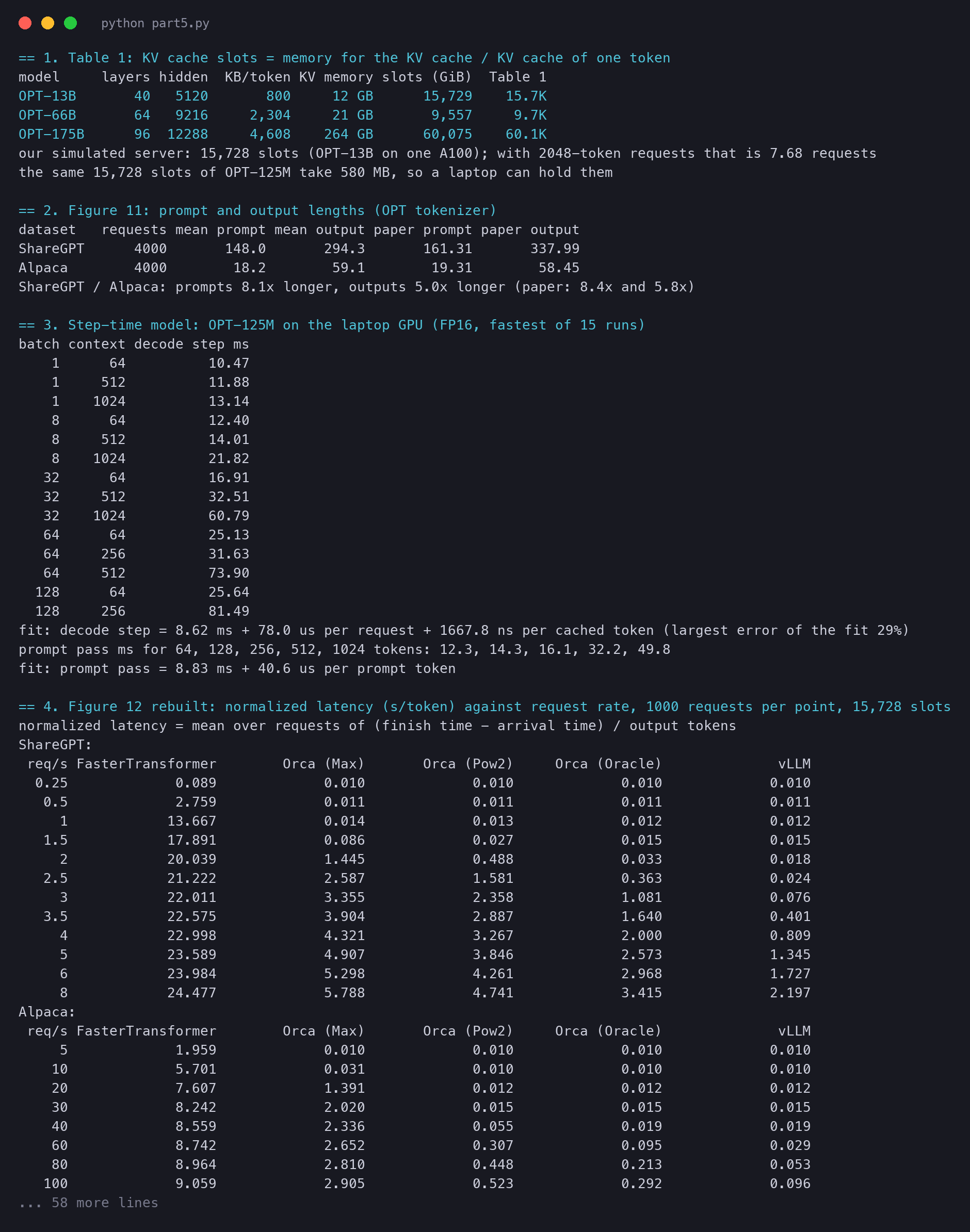
Here is our simulator on the same experiment. Each point is a run of 1,000 requests. We use OPT-125M step times and the 15,728 slots of OPT-13B. Each row is one request rate, and each column one system. Read down a column: the number stays near 0.01, then jumps. Look at which column jumps first:

```text
== 4. Figure 12 rebuilt: normalized latency (s/token) against request rate, 1000 requests per point, 15,728 slots
normalized latency = mean over requests of (finish time - arrival time) / output tokens
ShareGPT:
 req/s FasterTransformer        Orca (Max)       Orca (Pow2)     Orca (Oracle)              vLLM
  0.25             0.089             0.010             0.010             0.010             0.010
   0.5             2.759             0.011             0.011             0.011             0.011
     1            13.667             0.014             0.013             0.012             0.012
   1.5            17.891             0.086             0.027             0.015             0.015
     2            20.039             1.445             0.488             0.033             0.018
   2.5            21.222             2.587             1.581             0.363             0.024
     3            22.011             3.355             2.358             1.081             0.076
   3.5            22.575             3.904             2.887             1.640             0.401
     4            22.998             4.321             3.267             2.000             0.809
     5            23.589             4.907             3.846             2.573             1.345
     6            23.984             5.298             4.261             2.968             1.727
     8            24.477             5.788             4.741             3.415             2.197
Alpaca:
 req/s FasterTransformer        Orca (Max)       Orca (Pow2)     Orca (Oracle)              vLLM
     5             1.959             0.010             0.010             0.010             0.010
    10             5.701             0.031             0.010             0.010             0.010
    20             7.607             1.391             0.012             0.012             0.012
    30             8.242             2.020             0.015             0.015             0.015
    40             8.559             2.336             0.055             0.019             0.019
    60             8.742             2.652             0.307             0.095             0.029
    80             8.964             2.810             0.448             0.213             0.053
   100             9.059             2.905             0.523             0.292             0.096
   120             9.115             2.968             0.573             0.357             0.131
   140             9.117             3.013             0.624             0.395             0.164
   160             9.152             3.047             0.650             0.426             0.188
   200             9.200             3.095             0.692             0.468             0.225
```

<figure class="fig"><svg viewBox="0 0 720 360" role="img" aria-label="Two panels of normalized latency against request rate. In each, the curves stay flat and then shoot up. FasterTransformer shoots up first, then Orca (Max), Orca (Pow2), Orca (Oracle), and vLLM last."><defs><marker id="ah" viewBox="0 0 10 10" refX="9" refY="5" markerWidth="7" markerHeight="7" orient="auto-start-reverse"><path class="arrow" d="M0,0L10,5L0,10z"/></marker><marker id="ah-on" viewBox="0 0 10 10" refX="9" refY="5" markerWidth="6" markerHeight="6" orient="auto-start-reverse"><path class="arrow-on" d="M0,0L10,5L0,10z"/></marker><marker id="ah-2" viewBox="0 0 10 10" refX="9" refY="5" markerWidth="6" markerHeight="6" orient="auto-start-reverse"><path class="arrow-2" d="M0,0L10,5L0,10z"/></marker></defs><line class="long" x1="20" y1="20" x2="38" y2="20"/><rect class="box" x="25.5" y="16.5" width="7" height="7" rx="1"/><text class="t-tick" x="44.0" y="24.0" text-anchor="start">FasterTransformer</text><line class="l2" x1="178.4" y1="20" x2="196.4" y2="20"/><rect class="s2" x="183.9" y="16.5" width="7" height="7" rx="1"/><text class="t-tick" x="202.4" y="24.0" text-anchor="start">Orca (Max)</text><line class="l4" x1="286.4" y1="20" x2="304.4" y2="20"/><rect class="s4" x="291.9" y="16.5" width="7" height="7" rx="1"/><text class="t-tick" x="310.4" y="24.0" text-anchor="start">Orca (Pow2)</text><line class="l3" x1="401.59999999999997" y1="20" x2="419.59999999999997" y2="20"/><rect class="s3" x="407.09999999999997" y="16.5" width="7" height="7" rx="1"/><text class="t-tick" x="425.6" y="24.0" text-anchor="start">Orca (Oracle)</text><line class="l1" x1="531.2" y1="20" x2="549.2" y2="20"/><rect class="s1" x="536.7" y="16.5" width="7" height="7" rx="1"/><text class="t-tick" x="555.2" y="24.0" text-anchor="start">vLLM</text><text class="t-title" x="70.0" y="56.0" text-anchor="start">ShareGPT</text><line class="grid" x1="70" y1="290.0" x2="340" y2="290.0"/><text class="t-tick" x="64.0" y="294.0" text-anchor="end">0.00</text><line class="grid" x1="70" y1="235.0" x2="340" y2="235.0"/><text class="t-tick" x="64.0" y="239.0" text-anchor="end">0.25</text><line class="grid" x1="70" y1="180.0" x2="340" y2="180.0"/><text class="t-tick" x="64.0" y="184.0" text-anchor="end">0.50</text><line class="grid" x1="70" y1="125.0" x2="340" y2="125.0"/><text class="t-tick" x="64.0" y="129.0" text-anchor="end">0.75</text><line class="grid" x1="70" y1="70.0" x2="340" y2="70.0"/><text class="t-tick" x="64.0" y="74.0" text-anchor="end">1.00</text><text class="t-tick" x="70.0" y="308.0" text-anchor="middle">0</text><text class="t-tick" x="137.5" y="308.0" text-anchor="middle">2</text><text class="t-tick" x="205.0" y="308.0" text-anchor="middle">4</text><text class="t-tick" x="272.5" y="308.0" text-anchor="middle">6</text><text class="t-tick" x="340.0" y="308.0" text-anchor="middle">8</text><line class="axis" x1="70" y1="290" x2="340" y2="290"/><text class="t-tick" x="205.0" y="328.0" text-anchor="middle">request rate (requests per second)</text><polyline class="long" points="78.4,270.4 81.3,70.0"/><g class="mark"><title>FasterTransformer, 0.25: 0.089</title><rect class="box" x="74.9" y="266.9" width="7" height="7" rx="1"/></g><polyline class="l2" points="78.4,287.8 86.9,287.6 103.8,286.9 120.6,271.2 132.0,70.0"/><g class="mark"><title>Orca (Max), 0.25: 0.010</title><circle class="s2 ring" cx="78.4" cy="287.8" r="4"/></g><g class="mark"><title>Orca (Max), 0.5: 0.011</title><circle class="s2 ring" cx="86.9" cy="287.6" r="4"/></g><g class="mark"><title>Orca (Max), 1: 0.014</title><circle class="s2 ring" cx="103.8" cy="286.9" r="4"/></g><g class="mark"><title>Orca (Max), 1.5: 0.086</title><circle class="s2 ring" cx="120.6" cy="271.2" r="4"/></g><polyline class="l4" points="78.4,287.8 86.9,287.6 103.8,287.2 120.6,284.0 137.5,182.7 145.4,70.0"/><g class="mark"><title>Orca (Pow2), 0.25: 0.010</title><circle class="s4 ring" cx="78.4" cy="287.8" r="4"/></g><g class="mark"><title>Orca (Pow2), 0.5: 0.011</title><circle class="s4 ring" cx="86.9" cy="287.6" r="4"/></g><g class="mark"><title>Orca (Pow2), 1: 0.013</title><circle class="s4 ring" cx="103.8" cy="287.2" r="4"/></g><g class="mark"><title>Orca (Pow2), 1.5: 0.027</title><circle class="s4 ring" cx="120.6" cy="284.0" r="4"/></g><g class="mark"><title>Orca (Pow2), 2: 0.488</title><circle class="s4 ring" cx="137.5" cy="182.7" r="4"/></g><polyline class="l3" points="78.4,287.8 86.9,287.6 103.8,287.3 120.6,286.7 137.5,282.7 154.4,210.1 169.3,70.0"/><g class="mark"><title>Orca (Oracle), 0.25: 0.010</title><circle class="s3 ring" cx="78.4" cy="287.8" r="4"/></g><g class="mark"><title>Orca (Oracle), 0.5: 0.011</title><circle class="s3 ring" cx="86.9" cy="287.6" r="4"/></g><g class="mark"><title>Orca (Oracle), 1: 0.012</title><circle class="s3 ring" cx="103.8" cy="287.3" r="4"/></g><g class="mark"><title>Orca (Oracle), 1.5: 0.015</title><circle class="s3 ring" cx="120.6" cy="286.7" r="4"/></g><g class="mark"><title>Orca (Oracle), 2: 0.033</title><circle class="s3 ring" cx="137.5" cy="282.7" r="4"/></g><g class="mark"><title>Orca (Oracle), 2.5: 0.363</title><circle class="s3 ring" cx="154.4" cy="210.1" r="4"/></g><polyline class="l1" points="78.4,287.8 86.9,287.6 103.8,287.3 120.6,286.8 137.5,286.0 154.4,284.7 171.2,273.2 188.1,201.8 205.0,112.0 217.0,70.0"/><g class="mark"><title>vLLM, 0.25: 0.010</title><circle class="s1 ring" cx="78.4" cy="287.8" r="4"/></g><g class="mark"><title>vLLM, 0.5: 0.011</title><circle class="s1 ring" cx="86.9" cy="287.6" r="4"/></g><g class="mark"><title>vLLM, 1: 0.012</title><circle class="s1 ring" cx="103.8" cy="287.3" r="4"/></g><g class="mark"><title>vLLM, 1.5: 0.015</title><circle class="s1 ring" cx="120.6" cy="286.8" r="4"/></g><g class="mark"><title>vLLM, 2: 0.018</title><circle class="s1 ring" cx="137.5" cy="286.0" r="4"/></g><g class="mark"><title>vLLM, 2.5: 0.024</title><circle class="s1 ring" cx="154.4" cy="284.7" r="4"/></g><g class="mark"><title>vLLM, 3: 0.076</title><circle class="s1 ring" cx="171.2" cy="273.2" r="4"/></g><g class="mark"><title>vLLM, 3.5: 0.401</title><circle class="s1 ring" cx="188.1" cy="201.8" r="4"/></g><g class="mark"><title>vLLM, 4: 0.809</title><circle class="s1 ring" cx="205.0" cy="112.0" r="4"/></g><text class="t-title" x="415.0" y="56.0" text-anchor="start">Alpaca</text><line class="grid" x1="415" y1="290.0" x2="685" y2="290.0"/><text class="t-tick" x="409.0" y="294.0" text-anchor="end">0.00</text><line class="grid" x1="415" y1="235.0" x2="685" y2="235.0"/><text class="t-tick" x="409.0" y="239.0" text-anchor="end">0.25</text><line class="grid" x1="415" y1="180.0" x2="685" y2="180.0"/><text class="t-tick" x="409.0" y="184.0" text-anchor="end">0.50</text><line class="grid" x1="415" y1="125.0" x2="685" y2="125.0"/><text class="t-tick" x="409.0" y="129.0" text-anchor="end">0.75</text><line class="grid" x1="415" y1="70.0" x2="685" y2="70.0"/><text class="t-tick" x="409.0" y="74.0" text-anchor="end">1.00</text><text class="t-tick" x="415.0" y="308.0" text-anchor="middle">0</text><text class="t-tick" x="482.5" y="308.0" text-anchor="middle">50</text><text class="t-tick" x="550.0" y="308.0" text-anchor="middle">100</text><text class="t-tick" x="617.5" y="308.0" text-anchor="middle">150</text><text class="t-tick" x="685.0" y="308.0" text-anchor="middle">200</text><line class="axis" x1="415" y1="290" x2="685" y2="290"/><text class="t-tick" x="550.0" y="328.0" text-anchor="middle">request rate (requests per second)</text><polyline class="l2" points="421.8,287.8 428.5,283.3 438.1,70.0"/><g class="mark"><title>Orca (Max), 5: 0.010</title><circle class="s2 ring" cx="421.8" cy="287.8" r="4"/></g><g class="mark"><title>Orca (Max), 10: 0.031</title><circle class="s2 ring" cx="428.5" cy="283.3" r="4"/></g><polyline class="l4" points="421.8,287.9 428.5,287.7 442.0,287.3 455.5,286.7 469.0,278.0 496.0,222.5 523.0,191.5 550.0,174.9 577.0,163.9 604.0,152.7 631.0,146.9 685.0,137.7"/><g class="mark"><title>Orca (Pow2), 5: 0.010</title><circle class="s4 ring" cx="421.8" cy="287.9" r="4"/></g><g class="mark"><title>Orca (Pow2), 10: 0.010</title><circle class="s4 ring" cx="428.5" cy="287.7" r="4"/></g><g class="mark"><title>Orca (Pow2), 20: 0.012</title><circle class="s4 ring" cx="442.0" cy="287.3" r="4"/></g><g class="mark"><title>Orca (Pow2), 30: 0.015</title><circle class="s4 ring" cx="455.5" cy="286.7" r="4"/></g><g class="mark"><title>Orca (Pow2), 40: 0.055</title><circle class="s4 ring" cx="469.0" cy="278.0" r="4"/></g><g class="mark"><title>Orca (Pow2), 60: 0.307</title><circle class="s4 ring" cx="496.0" cy="222.5" r="4"/></g><g class="mark"><title>Orca (Pow2), 80: 0.448</title><circle class="s4 ring" cx="523.0" cy="191.5" r="4"/></g><g class="mark"><title>Orca (Pow2), 100: 0.523</title><circle class="s4 ring" cx="550.0" cy="174.9" r="4"/></g><g class="mark"><title>Orca (Pow2), 120: 0.573</title><circle class="s4 ring" cx="577.0" cy="163.9" r="4"/></g><g class="mark"><title>Orca (Pow2), 140: 0.624</title><circle class="s4 ring" cx="604.0" cy="152.7" r="4"/></g><g class="mark"><title>Orca (Pow2), 160: 0.650</title><circle class="s4 ring" cx="631.0" cy="146.9" r="4"/></g><g class="mark"><title>Orca (Pow2), 200: 0.692</title><circle class="s4 ring" cx="685.0" cy="137.7" r="4"/></g><polyline class="l3" points="421.8,287.9 428.5,287.7 442.0,287.3 455.5,286.7 469.0,285.9 496.0,269.0 523.0,243.2 550.0,225.7 577.0,211.5 604.0,203.1 631.0,196.2 685.0,187.1"/><g class="mark"><title>Orca (Oracle), 5: 0.010</title><circle class="s3 ring" cx="421.8" cy="287.9" r="4"/></g><g class="mark"><title>Orca (Oracle), 10: 0.010</title><circle class="s3 ring" cx="428.5" cy="287.7" r="4"/></g><g class="mark"><title>Orca (Oracle), 20: 0.012</title><circle class="s3 ring" cx="442.0" cy="287.3" r="4"/></g><g class="mark"><title>Orca (Oracle), 30: 0.015</title><circle class="s3 ring" cx="455.5" cy="286.7" r="4"/></g><g class="mark"><title>Orca (Oracle), 40: 0.019</title><circle class="s3 ring" cx="469.0" cy="285.9" r="4"/></g><g class="mark"><title>Orca (Oracle), 60: 0.095</title><circle class="s3 ring" cx="496.0" cy="269.0" r="4"/></g><g class="mark"><title>Orca (Oracle), 80: 0.213</title><circle class="s3 ring" cx="523.0" cy="243.2" r="4"/></g><g class="mark"><title>Orca (Oracle), 100: 0.292</title><circle class="s3 ring" cx="550.0" cy="225.7" r="4"/></g><g class="mark"><title>Orca (Oracle), 120: 0.357</title><circle class="s3 ring" cx="577.0" cy="211.5" r="4"/></g><g class="mark"><title>Orca (Oracle), 140: 0.395</title><circle class="s3 ring" cx="604.0" cy="203.1" r="4"/></g><g class="mark"><title>Orca (Oracle), 160: 0.426</title><circle class="s3 ring" cx="631.0" cy="196.2" r="4"/></g><g class="mark"><title>Orca (Oracle), 200: 0.468</title><circle class="s3 ring" cx="685.0" cy="187.1" r="4"/></g><polyline class="l1" points="421.8,287.9 428.5,287.7 442.0,287.3 455.5,286.7 469.0,285.9 496.0,283.5 523.0,278.4 550.0,268.9 577.0,261.3 604.0,253.9 631.0,248.6 685.0,240.6"/><g class="mark"><title>vLLM, 5: 0.010</title><circle class="s1 ring" cx="421.8" cy="287.9" r="4"/></g><g class="mark"><title>vLLM, 10: 0.010</title><circle class="s1 ring" cx="428.5" cy="287.7" r="4"/></g><g class="mark"><title>vLLM, 20: 0.012</title><circle class="s1 ring" cx="442.0" cy="287.3" r="4"/></g><g class="mark"><title>vLLM, 30: 0.015</title><circle class="s1 ring" cx="455.5" cy="286.7" r="4"/></g><g class="mark"><title>vLLM, 40: 0.019</title><circle class="s1 ring" cx="469.0" cy="285.9" r="4"/></g><g class="mark"><title>vLLM, 60: 0.029</title><circle class="s1 ring" cx="496.0" cy="283.5" r="4"/></g><g class="mark"><title>vLLM, 80: 0.053</title><circle class="s1 ring" cx="523.0" cy="278.4" r="4"/></g><g class="mark"><title>vLLM, 100: 0.096</title><circle class="s1 ring" cx="550.0" cy="268.9" r="4"/></g><g class="mark"><title>vLLM, 120: 0.131</title><circle class="s1 ring" cx="577.0" cy="261.3" r="4"/></g><g class="mark"><title>vLLM, 140: 0.164</title><circle class="s1 ring" cx="604.0" cy="253.9" r="4"/></g><g class="mark"><title>vLLM, 160: 0.188</title><circle class="s1 ring" cx="631.0" cy="248.6" r="4"/></g><g class="mark"><title>vLLM, 200: 0.225</title><circle class="s1 ring" cx="685.0" cy="240.6" r="4"/></g><text class="t-tick" x="20.0" y="352.0" text-anchor="start">normalized latency (s/token), simulated: OPT-125M step times from our laptop, 15,728 KV slots</text></svg><figcaption>Our simulation of Figure 12, cut at 1.0 s/token as in the paper. The order of the bends is the paper's order: FasterTransformer, then Orca (Max), Orca (Pow2), Orca (Oracle) and vLLM. FasterTransformer on Alpaca is above 1.0 s/token even at 5 requests per second, so its line is off the chart.</figcaption></figure>

At low load, all four iteration-level systems give the same 0.010 s/token on ShareGPT: when nobody waits, memory management does not matter. Then the bends appear in the paper's order. To turn bends into "times higher", we draw a line at 0.1 s/token, about ten times the unloaded latency. Then we read where each curve crosses it:

```python
def crossing(rates, vals, limit=LIMIT):
    """The rate at which the curve first rises above the limit, read between the two points around it."""
    if vals[0] > limit:
        return 0.0
    for (r0, v0), (r1, v1) in zip(zip(rates, vals), zip(rates[1:], vals[1:])):
        if v1 > limit:
            return r0 + (r1 - r0) * (limit - v0) / (v1 - v0)
    return float('inf')
```

```text
request rate where normalized latency crosses 0.1 s/token (our "same latency" line, linear between points):
ShareGPT  FasterTransformer 0.3, Orca (Max) 1.5, Orca (Pow2) 1.6, Orca (Oracle) 2.1, vLLM 3.0
          vLLM / Orca (Oracle) = 1.4x, vLLM / Orca (Pow2) = 1.9x, vLLM / Orca (Max) = 2.0x
Alpaca    FasterTransformer < 5, Orca (Max) 10.5, Orca (Pow2) 43.6, Orca (Oracle) 60.8, vLLM 102.3
          vLLM / Orca (Oracle) = 1.7x, vLLM / Orca (Pow2) = 2.3x, vLLM / Orca (Max) = 9.7x
paper, ShareGPT: vLLM sustains 1.7x to 2.7x the rate of Orca (Oracle), 2.7x to 8x that of Orca (Max), up to 22x that of FasterTransformer
```

<figure class="fig"><svg viewBox="0 0 720 330" role="img" aria-label="A zoom on two curves. A dashed line at 0.1 seconds per token crosses the Orca Oracle curve at a lower rate than the vLLM curve. The ratio of the two rates is what the paper reports as times higher."><defs><marker id="ah" viewBox="0 0 10 10" refX="9" refY="5" markerWidth="7" markerHeight="7" orient="auto-start-reverse"><path class="arrow" d="M0,0L10,5L0,10z"/></marker><marker id="ah-on" viewBox="0 0 10 10" refX="9" refY="5" markerWidth="6" markerHeight="6" orient="auto-start-reverse"><path class="arrow-on" d="M0,0L10,5L0,10z"/></marker><marker id="ah-2" viewBox="0 0 10 10" refX="9" refY="5" markerWidth="6" markerHeight="6" orient="auto-start-reverse"><path class="arrow-2" d="M0,0L10,5L0,10z"/></marker></defs><line class="grid" x1="80" y1="270.0" x2="520" y2="270.0"/><text class="t-tick" x="74.0" y="274.0" text-anchor="end">0.0</text><line class="grid" x1="80" y1="226.0" x2="520" y2="226.0"/><text class="t-tick" x="74.0" y="230.0" text-anchor="end">0.1</text><line class="grid" x1="80" y1="182.0" x2="520" y2="182.0"/><text class="t-tick" x="74.0" y="186.0" text-anchor="end">0.2</text><line class="grid" x1="80" y1="138.0" x2="520" y2="138.0"/><text class="t-tick" x="74.0" y="142.0" text-anchor="end">0.3</text><line class="grid" x1="80" y1="94.0" x2="520" y2="94.0"/><text class="t-tick" x="74.0" y="98.0" text-anchor="end">0.4</text><line class="grid" x1="80" y1="50.0" x2="520" y2="50.0"/><text class="t-tick" x="74.0" y="54.0" text-anchor="end">0.5</text><text class="t-tick" x="80.0" y="288.0" text-anchor="middle">0</text><text class="t-tick" x="190.0" y="288.0" text-anchor="middle">1</text><text class="t-tick" x="300.0" y="288.0" text-anchor="middle">2</text><text class="t-tick" x="410.0" y="288.0" text-anchor="middle">3</text><text class="t-tick" x="520.0" y="288.0" text-anchor="middle">4</text><line class="axis" x1="80" y1="270" x2="520" y2="270"/><text class="t-tick" x="300.0" y="308.0" text-anchor="middle">request rate (requests per second)</text><text class="t-tick" x="74.0" y="40.0" text-anchor="end">s/token</text><polyline class="l3" points="107.5,265.6 135.0,265.3 190.0,264.5 245.0,263.3 300.0,255.5 355.0,110.2 365.5,50.0"/><g class="mark"><title>Orca (Oracle), 0.25: 0.010</title><circle class="s3 ring" cx="107.5" cy="265.6" r="4"/></g><g class="mark"><title>Orca (Oracle), 0.5: 0.011</title><circle class="s3 ring" cx="135.0" cy="265.3" r="4"/></g><g class="mark"><title>Orca (Oracle), 1: 0.012</title><circle class="s3 ring" cx="190.0" cy="264.5" r="4"/></g><g class="mark"><title>Orca (Oracle), 1.5: 0.015</title><circle class="s3 ring" cx="245.0" cy="263.3" r="4"/></g><g class="mark"><title>Orca (Oracle), 2: 0.033</title><circle class="s3 ring" cx="300.0" cy="255.5" r="4"/></g><g class="mark"><title>Orca (Oracle), 2.5: 0.363</title><circle class="s3 ring" cx="355.0" cy="110.2" r="4"/></g><polyline class="l1" points="107.5,265.6 135.0,265.3 190.0,264.5 245.0,263.5 300.0,262.0 355.0,259.5 410.0,236.4 465.0,93.6 478.4,50.0"/><g class="mark"><title>vLLM, 0.25: 0.010</title><circle class="s1 ring" cx="107.5" cy="265.6" r="4"/></g><g class="mark"><title>vLLM, 0.5: 0.011</title><circle class="s1 ring" cx="135.0" cy="265.3" r="4"/></g><g class="mark"><title>vLLM, 1: 0.012</title><circle class="s1 ring" cx="190.0" cy="264.5" r="4"/></g><g class="mark"><title>vLLM, 1.5: 0.015</title><circle class="s1 ring" cx="245.0" cy="263.5" r="4"/></g><g class="mark"><title>vLLM, 2: 0.018</title><circle class="s1 ring" cx="300.0" cy="262.0" r="4"/></g><g class="mark"><title>vLLM, 2.5: 0.024</title><circle class="s1 ring" cx="355.0" cy="259.5" r="4"/></g><g class="mark"><title>vLLM, 3: 0.076</title><circle class="s1 ring" cx="410.0" cy="236.4" r="4"/></g><g class="mark"><title>vLLM, 3.5: 0.401</title><circle class="s1 ring" cx="465.0" cy="93.6" r="4"/></g><line class="base-line" x1="80" y1="226.0" x2="520" y2="226.0"/><text class="t-tick" x="88.0" y="220.0" text-anchor="start">our line: 0.1 s/token</text><line class="drop" x1="311.2" y1="226.0" x2="311.2" y2="270"/><text class="t-tick t-strong" x="311.2" y="264.0" text-anchor="middle">2.1</text><line class="drop" x1="414.0" y1="226.0" x2="414.0" y2="270"/><text class="t-tick t-strong" x="414.0" y="264.0" text-anchor="middle">3.0</text><text class="t-note" x="528.0" y="116.0" text-anchor="start">Orca (Oracle)</text><text class="t-tick" x="528.0" y="134.0" text-anchor="start">crosses at 2.1 req/s</text><text class="t-note" x="528.0" y="160.0" text-anchor="start">vLLM</text><text class="t-tick" x="528.0" y="178.0" text-anchor="start">crosses at 3.0 req/s</text><text class="t-tick t-strong" x="528.0" y="204.0" text-anchor="start">3.0 / 2.1 = 1.4x the rate</text><text class="t-title" x="80.0" y="24.0" text-anchor="start">Reading a panel: pick a latency, see which rate each system reaches (ShareGPT, our run)</text></svg><figcaption>How to read "times higher". Fix a latency (the dashed line), find where each curve crosses it, and divide the two rates. On our ShareGPT run, Orca (Oracle) crosses at 2.1 requests per second and vLLM at 3.0.</figcaption></figure>

The choice of 0.1 s/token is ours; the paper does not give the latency level it used. Another line would give other ratios, but in our table the order of the systems is the same at every rate.

## How much faster, and why {§6.2}

> [!PAPER] · §6.2 · page 11
> [![The ShareGPT results paragraph, with 1.7x to 2.7x higher request rates compared to Orca (Oracle), 2.7x to 8x, 2.2x more requests, 4.3x more requests and up to 22x higher request rates highlighted](https://ishwarj.com/img/papers/vllm/p5-sharegpt.pngllm/p5-sharegpt.png)](/img/papers/vllm/p5-sharegpt.png)
>
> **What it says:** on ShareGPT, vLLM sustains "1.7×–2.7×" higher request rates than Orca (Oracle) and "2.7×–8×" higher than Orca (Max), at similar latency. The reason is the batch: for OPT-13B, vLLM runs "2.2× more requests" at once than Orca (Oracle) and "4.3× more requests" than Orca (Max). Against FasterTransformer it reaches "up to 22× higher request rates".
>
> **What it means:**
>
> Each range is the smallest and the largest gain over the three models. Our simulated 13B server gives 1.4 times Orca (Oracle) and 2.0 times Orca (Max) on ShareGPT, smaller gains for a reason we come to below.
>
> The second half of the paragraph names the cause. More requests fit in memory at once, so each step of the model does more useful work. The cost of reading the weights is shared by more requests. Nothing about the model or its GPU code got faster. FasterTransformer loses by the most because it adds request-level batching to Orca (Max)'s memory waste.

> [!PAPER] · Figure 13 · page 10
> [![Figure 13 of the paper: bar charts of the average number of batched requests. ShareGPT: Orca Max 7.00, Pow2 9.81, Oracle 13.62, vLLM 30.42. Alpaca: 7.00, 43.24, 72.75, 132.44](https://ishwarj.com/img/papers/vllm/p5-figure13.pngllm/p5-figure13.png)](/img/papers/vllm/p5-figure13.png)
>
> **What it says:** "Average number of batched requests" when serving OPT-13B on ShareGPT at 2 requests per second and Alpaca at 30. ShareGPT: 7.00, 9.81, 13.62 and 30.42 for Orca (Max), Orca (Pow2), Orca (Oracle) and vLLM. Alpaca: 7.00, 43.24, 72.75 and 132.44.
>
> **What it means:**
>
> This figure is the mechanism behind Figure 12. Look at Orca (Max): exactly 7.00 on both datasets. That is not a measurement of the data at all. It is 15.7K slots divided by 2,048 slots per request, rounded down. Orca (Max) books the same chunk for a short question and a long chat, so the data cannot change it.
>
> The other bars depend on the data. On ShareGPT, vLLM runs 30 requests at once against 14 for the best possible Orca.

Our simulator gives the same bars. We let all 1,000 requests arrive at time 0, so the queue is never empty, and we count the running requests at each iteration. We also check the count with a second method. When memory is full, the slots held by the running requests add up to the budget. A request stays in the batch for $$o$$ steps, so a running request is a long request more often than a short one. That gives a closed form:

$$
\text{batch} \approx S \cdot \frac{\sum_i o_i}{\sum_i \sum_{g=1}^{o_i} m_i(g)}
$$

Read it from left to right. $$S$$ is the budget, 15,728 slots. The top sum adds up the answer lengths, so it counts request-steps. The bottom sum adds up $$m_i(g)$$, the slots that request $$i$$ holds after writing $$g$$ tokens, over its whole life.

The fraction is one over the slots of an average running request. For Orca, $$m_i(g)$$ is its buddy chunk at every step; for vLLM, the blocks it holds so far.

A tiny example. Two requests, with answers of 1 and 3 tokens. Each holds 4 slots at every step. The sums are $$1 + 3 = 4$$ request-steps and $$4 \cdot 1 + 4 \cdot 3 = 16$$ slot-steps, so a running request holds 4 slots on average. With $$S = 40$$, the batch is $$40 \cdot 4 / 16 = 10$$.

```python
def closed_form_batch(system, reqs, block=16, slots=S):
    """Method 2: when memory is full, the slots held by the running requests add up to the budget. A request is
    running for o steps, so a random running request is picked in proportion to o. Fragmentation is ignored."""
    held = 0
    for p, o in reqs:
        if system == 'vLLM':
            held += sum(block * -(-(p + g) // block) for g in range(1, o + 1))   # blocks grow as it writes
        else:
            held += o * (1 << (reserve(system, p, o) - 1).bit_length())         # one chunk for its whole life
    return slots * sum(o for _, o in reqs) / held
```

```text
== 5. Figure 13 rebuilt: requests running at once while the queue is never empty (all arrive at time 0)
ShareGPT: system             simulated closed form tokens/step  tokens/s preemptions
          Orca (Max)              7.00        7.68         6.9       495           0
          Orca (Pow2)             9.30       10.55         9.1       583           0
          Orca (Oracle)          14.91       17.08        14.5       731           0
          vLLM                   37.54       38.02        34.8       952        1443
          vLLM against Orca (Oracle): 2.4x the tokens per step, 1.3x the tokens per second (bigger batches make each step slower)
          vLLM runs 2.5x the requests of Orca (Oracle) and 5.4x those of Orca (Max)
Alpaca: system             simulated closed form tokens/step  tokens/s preemptions
          Orca (Max)              7.00        7.68         6.9       678           0
          Orca (Pow2)            43.98       46.55        36.6     2,211           0
          Orca (Oracle)          75.91       82.34        57.3     2,723           0
          vLLM                  204.01      183.95       103.9     3,296         274
          vLLM against Orca (Oracle): 1.8x the tokens per step, 1.2x the tokens per second (bigger batches make each step slower)
          vLLM runs 2.7x the requests of Orca (Oracle) and 29.1x those of Orca (Max)
paper, Figure 13 (OPT-13B, A100): ShareGPT 7.00, 9.81, 13.62, 30.42; Alpaca 7.00, 43.24, 72.75, 132.44
note: we cap a batch at 256 requests, as vLLM did by default
```

<figure class="fig"><svg viewBox="0 0 720 340" role="img" aria-label="Grouped bars. For each Orca version and vLLM, our simulated batch size stands next to the paper's. They follow the same order, and vLLM runs the most requests at once on both datasets."><defs><marker id="ah" viewBox="0 0 10 10" refX="9" refY="5" markerWidth="7" markerHeight="7" orient="auto-start-reverse"><path class="arrow" d="M0,0L10,5L0,10z"/></marker><marker id="ah-on" viewBox="0 0 10 10" refX="9" refY="5" markerWidth="6" markerHeight="6" orient="auto-start-reverse"><path class="arrow-on" d="M0,0L10,5L0,10z"/></marker><marker id="ah-2" viewBox="0 0 10 10" refX="9" refY="5" markerWidth="6" markerHeight="6" orient="auto-start-reverse"><path class="arrow-2" d="M0,0L10,5L0,10z"/></marker></defs><text class="t-title" x="20.0" y="24.0" text-anchor="start">Requests in the batch when the queue is never empty</text><line class="l1" x1="440" y1="46" x2="458" y2="46"/><rect class="s1" x="445.5" y="42.5" width="7" height="7" rx="1"/><text class="t-tick" x="464.0" y="50.0" text-anchor="start">our simulation</text><line class="l3" x1="594.8" y1="46" x2="612.8" y2="46"/><rect class="s3" x="600.3" y="42.5" width="7" height="7" rx="1"/><text class="t-tick" x="618.8" y="50.0" text-anchor="start">paper (A100)</text><text class="t-tick t-strong" x="50.0" y="80.0" text-anchor="start">ShareGPT</text><g class="mark"><title>Orca (Max): 7.00</title><rect class="s1" x="58.0" y="238.5" width="26.2" height="31.5" rx="2"/></g><text class="t-tick" x="71.1" y="234.5" text-anchor="middle">7.0</text><g class="mark"><title>Orca (Max): 7.00</title><rect class="s3" x="88.2" y="238.5" width="26.2" height="31.5" rx="2"/></g><text class="t-tick" x="101.4" y="234.5" text-anchor="middle">7.0</text><text class="t-tick" x="86.2" y="286.0" text-anchor="middle">(Max)</text><g class="mark"><title>Orca (Pow2): 9.30</title><rect class="s1" x="130.5" y="228.2" width="26.2" height="41.8" rx="2"/></g><text class="t-tick" x="143.6" y="224.2" text-anchor="middle">9.3</text><g class="mark"><title>Orca (Pow2): 9.81</title><rect class="s3" x="160.8" y="225.9" width="26.2" height="44.1" rx="2"/></g><text class="t-tick" x="173.9" y="221.9" text-anchor="middle">9.8</text><text class="t-tick" x="158.8" y="286.0" text-anchor="middle">(Pow2)</text><g class="mark"><title>Orca (Oracle): 14.91</title><rect class="s1" x="203.0" y="202.9" width="26.2" height="67.1" rx="2"/></g><text class="t-tick" x="216.1" y="198.9" text-anchor="middle">15</text><g class="mark"><title>Orca (Oracle): 13.62</title><rect class="s3" x="233.2" y="208.7" width="26.2" height="61.3" rx="2"/></g><text class="t-tick" x="246.4" y="204.7" text-anchor="middle">14</text><text class="t-tick" x="231.2" y="286.0" text-anchor="middle">(Oracle)</text><g class="mark"><title>vLLM: 37.54</title><rect class="s1" x="275.5" y="101.1" width="26.2" height="168.9" rx="2"/></g><text class="t-tick" x="288.6" y="97.1" text-anchor="middle">38</text><g class="mark"><title>vLLM: 30.42</title><rect class="s3" x="305.8" y="133.1" width="26.2" height="136.9" rx="2"/></g><text class="t-tick" x="318.9" y="129.1" text-anchor="middle">30</text><text class="t-tick" x="303.8" y="286.0" text-anchor="middle">vLLM</text><line class="axis" x1="50" y1="270" x2="340" y2="270"/><text class="t-tick t-strong" x="400.0" y="80.0" text-anchor="start">Alpaca</text><g class="mark"><title>Orca (Max): 7.00</title><rect class="s1" x="408.0" y="264.3" width="26.2" height="5.7" rx="2"/></g><text class="t-tick" x="421.1" y="260.3" text-anchor="middle">7.0</text><g class="mark"><title>Orca (Max): 7.00</title><rect class="s3" x="438.2" y="264.3" width="26.2" height="5.7" rx="2"/></g><text class="t-tick" x="451.4" y="260.3" text-anchor="middle">7.0</text><text class="t-tick" x="436.2" y="286.0" text-anchor="middle">(Max)</text><g class="mark"><title>Orca (Pow2): 43.98</title><rect class="s1" x="480.5" y="234.0" width="26.2" height="36.0" rx="2"/></g><text class="t-tick" x="493.6" y="230.0" text-anchor="middle">44</text><g class="mark"><title>Orca (Pow2): 43.24</title><rect class="s3" x="510.8" y="234.6" width="26.2" height="35.4" rx="2"/></g><text class="t-tick" x="523.9" y="230.6" text-anchor="middle">43</text><text class="t-tick" x="508.8" y="286.0" text-anchor="middle">(Pow2)</text><g class="mark"><title>Orca (Oracle): 75.91</title><rect class="s1" x="553.0" y="207.9" width="26.2" height="62.1" rx="2"/></g><text class="t-tick" x="566.1" y="203.9" text-anchor="middle">76</text><g class="mark"><title>Orca (Oracle): 72.75</title><rect class="s3" x="583.2" y="210.5" width="26.2" height="59.5" rx="2"/></g><text class="t-tick" x="596.4" y="206.5" text-anchor="middle">73</text><text class="t-tick" x="581.2" y="286.0" text-anchor="middle">(Oracle)</text><g class="mark"><title>vLLM: 204.01</title><rect class="s1" x="625.5" y="103.1" width="26.2" height="166.9" rx="2"/></g><text class="t-tick" x="638.6" y="99.1" text-anchor="middle">204</text><g class="mark"><title>vLLM: 132.44</title><rect class="s3" x="655.8" y="161.6" width="26.2" height="108.4" rx="2"/></g><text class="t-tick" x="668.9" y="157.6" text-anchor="middle">132</text><text class="t-tick" x="653.8" y="286.0" text-anchor="middle">vLLM</text><line class="axis" x1="400" y1="270" x2="690" y2="270"/><text class="t-tick" x="20.0" y="330.0" text-anchor="start">Orca labels: (Max), (Pow2), (Oracle). Our batch is capped at 256 requests.</text></svg><figcaption>Requests in the batch, our simulation next to the paper's Figure 13. The Orca bars are close to the paper's on both datasets. Our vLLM bars are higher than the paper's, most of all on Alpaca.</figcaption></figure>

Orca (Max) gives exactly 7.00, as in the paper. The closed form says 7.68, and the gap is the buddy allocator. The budget of 15,728 is not a power of two, so it is split into pieces of 8,192, 4,096 and fewer slots. Only seven chunks of 2,048 fit in them. That lost 0.68 of a request is external fragmentation: free memory cut into pieces too small to use. It appears on its own.

For Orca (Pow2) and Orca (Oracle), the simulation sits 5% to 13% below the closed form: chunks of mixed sizes leave holes. For vLLM on ShareGPT, the two methods agree within 1.3%, because equal blocks leave no holes. On Alpaca, the 256-request cap and the 274 preemptions break the formula's assumption of a steady, full memory.

Our Orca bars are close to the paper's: 9.30 against 9.81, 14.91 against 13.62, 43.98 against 43.24, 75.91 against 72.75. Memory counts depend only on lengths and budget, so a laptop can get them right. Our vLLM bars are higher, 37.54 against 30.42 and 204 against 132, because a real server has limits that we leave out.

The picture below puts the ShareGPT bars into memory. Each bar is the same 15,728 slots. It is cut into one piece per running request, and the blue part of each piece is what an average running request really holds.

<figure class="fig"><svg viewBox="0 0 720 300" role="img" aria-label="Three bars for the same memory. Orca Max cuts it into 7 chunks of 2,048 slots, each mostly empty, with a leftover piece too small to use. Orca Oracle fits about 15 requests. vLLM fits about 37, with almost nothing empty."><defs><marker id="ah" viewBox="0 0 10 10" refX="9" refY="5" markerWidth="7" markerHeight="7" orient="auto-start-reverse"><path class="arrow" d="M0,0L10,5L0,10z"/></marker><marker id="ah-on" viewBox="0 0 10 10" refX="9" refY="5" markerWidth="6" markerHeight="6" orient="auto-start-reverse"><path class="arrow-on" d="M0,0L10,5L0,10z"/></marker><marker id="ah-2" viewBox="0 0 10 10" refX="9" refY="5" markerWidth="6" markerHeight="6" orient="auto-start-reverse"><path class="arrow-2" d="M0,0L10,5L0,10z"/></marker></defs><text class="t-title" x="20.0" y="24.0" text-anchor="start">The same 15,728 slots of KV cache, ShareGPT, the queue never empty (our simulation)</text><text class="t-note" x="140.0" y="80.0" text-anchor="end">Orca (Max)</text><rect class="waste" x="150.0" y="60.0" width="70.6" height="30.0" rx="1"/><rect class="s1" x="150.0" y="60.0" width="13.7" height="30.0" rx="1"/><rect class="waste" x="221.6" y="60.0" width="70.6" height="30.0" rx="1"/><rect class="s1" x="221.6" y="60.0" width="13.7" height="30.0" rx="1"/><rect class="waste" x="293.2" y="60.0" width="70.6" height="30.0" rx="1"/><rect class="s1" x="293.2" y="60.0" width="13.7" height="30.0" rx="1"/><rect class="waste" x="364.9" y="60.0" width="70.6" height="30.0" rx="1"/><rect class="s1" x="364.9" y="60.0" width="13.7" height="30.0" rx="1"/><rect class="waste" x="436.5" y="60.0" width="70.6" height="30.0" rx="1"/><rect class="s1" x="436.5" y="60.0" width="13.7" height="30.0" rx="1"/><rect class="waste" x="508.1" y="60.0" width="70.6" height="30.0" rx="1"/><rect class="s1" x="508.1" y="60.0" width="13.7" height="30.0" rx="1"/><rect class="waste" x="579.7" y="60.0" width="70.6" height="30.0" rx="1"/><rect class="s1" x="579.7" y="60.0" width="13.7" height="30.0" rx="1"/><rect class="box-ghost" x="651.3" y="60.0" width="48.7" height="30.0" rx="1"/><text class="t-tick" x="700.0" y="108.0" text-anchor="end">1,392 slots left, too small for a chunk</text><text class="t-tick t-strong" x="150.0" y="108.0" text-anchor="start">7 requests at once</text><text class="t-note" x="140.0" y="146.0" text-anchor="end">Orca (Oracle)</text><rect class="waste" x="150.0" y="126.0" width="35.9" height="30.0" rx="1"/><rect class="s1" x="150.0" y="126.0" width="13.7" height="30.0" rx="1"/><rect class="waste" x="186.9" y="126.0" width="35.9" height="30.0" rx="1"/><rect class="s1" x="186.9" y="126.0" width="13.7" height="30.0" rx="1"/><rect class="waste" x="223.8" y="126.0" width="35.9" height="30.0" rx="1"/><rect class="s1" x="223.8" y="126.0" width="13.7" height="30.0" rx="1"/><rect class="waste" x="260.7" y="126.0" width="35.9" height="30.0" rx="1"/><rect class="s1" x="260.7" y="126.0" width="13.7" height="30.0" rx="1"/><rect class="waste" x="297.6" y="126.0" width="35.9" height="30.0" rx="1"/><rect class="s1" x="297.6" y="126.0" width="13.7" height="30.0" rx="1"/><rect class="waste" x="334.5" y="126.0" width="35.9" height="30.0" rx="1"/><rect class="s1" x="334.5" y="126.0" width="13.7" height="30.0" rx="1"/><rect class="waste" x="371.3" y="126.0" width="35.9" height="30.0" rx="1"/><rect class="s1" x="371.3" y="126.0" width="13.7" height="30.0" rx="1"/><rect class="waste" x="408.2" y="126.0" width="35.9" height="30.0" rx="1"/><rect class="s1" x="408.2" y="126.0" width="13.7" height="30.0" rx="1"/><rect class="waste" x="445.1" y="126.0" width="35.9" height="30.0" rx="1"/><rect class="s1" x="445.1" y="126.0" width="13.7" height="30.0" rx="1"/><rect class="waste" x="482.0" y="126.0" width="35.9" height="30.0" rx="1"/><rect class="s1" x="482.0" y="126.0" width="13.7" height="30.0" rx="1"/><rect class="waste" x="518.9" y="126.0" width="35.9" height="30.0" rx="1"/><rect class="s1" x="518.9" y="126.0" width="13.7" height="30.0" rx="1"/><rect class="waste" x="555.8" y="126.0" width="35.9" height="30.0" rx="1"/><rect class="s1" x="555.8" y="126.0" width="13.7" height="30.0" rx="1"/><rect class="waste" x="592.7" y="126.0" width="35.9" height="30.0" rx="1"/><rect class="s1" x="592.7" y="126.0" width="13.7" height="30.0" rx="1"/><rect class="waste" x="629.6" y="126.0" width="35.9" height="30.0" rx="1"/><rect class="s1" x="629.6" y="126.0" width="13.7" height="30.0" rx="1"/><text class="t-tick t-strong" x="150.0" y="174.0" text-anchor="start">14.91 requests at once</text><text class="t-note" x="140.0" y="212.0" text-anchor="end">vLLM</text><rect class="box-1" x="150.0" y="192.0" width="13.7" height="30.0" rx="1"/><rect class="s1" x="150.0" y="192.0" width="13.7" height="30.0" rx="1"/><rect class="box-1" x="164.7" y="192.0" width="13.7" height="30.0" rx="1"/><rect class="s1" x="164.7" y="192.0" width="13.7" height="30.0" rx="1"/><rect class="box-1" x="179.3" y="192.0" width="13.7" height="30.0" rx="1"/><rect class="s1" x="179.3" y="192.0" width="13.7" height="30.0" rx="1"/><rect class="box-1" x="194.0" y="192.0" width="13.7" height="30.0" rx="1"/><rect class="s1" x="194.0" y="192.0" width="13.7" height="30.0" rx="1"/><rect class="box-1" x="208.6" y="192.0" width="13.7" height="30.0" rx="1"/><rect class="s1" x="208.6" y="192.0" width="13.7" height="30.0" rx="1"/><rect class="box-1" x="223.3" y="192.0" width="13.7" height="30.0" rx="1"/><rect class="s1" x="223.3" y="192.0" width="13.7" height="30.0" rx="1"/><rect class="box-1" x="237.9" y="192.0" width="13.7" height="30.0" rx="1"/><rect class="s1" x="237.9" y="192.0" width="13.7" height="30.0" rx="1"/><rect class="box-1" x="252.6" y="192.0" width="13.7" height="30.0" rx="1"/><rect class="s1" x="252.6" y="192.0" width="13.7" height="30.0" rx="1"/><rect class="box-1" x="267.2" y="192.0" width="13.7" height="30.0" rx="1"/><rect class="s1" x="267.2" y="192.0" width="13.7" height="30.0" rx="1"/><rect class="box-1" x="281.9" y="192.0" width="13.7" height="30.0" rx="1"/><rect class="s1" x="281.9" y="192.0" width="13.7" height="30.0" rx="1"/><rect class="box-1" x="296.5" y="192.0" width="13.7" height="30.0" rx="1"/><rect class="s1" x="296.5" y="192.0" width="13.7" height="30.0" rx="1"/><rect class="box-1" x="311.2" y="192.0" width="13.7" height="30.0" rx="1"/><rect class="s1" x="311.2" y="192.0" width="13.7" height="30.0" rx="1"/><rect class="box-1" x="325.8" y="192.0" width="13.7" height="30.0" rx="1"/><rect class="s1" x="325.8" y="192.0" width="13.7" height="30.0" rx="1"/><rect class="box-1" x="340.5" y="192.0" width="13.7" height="30.0" rx="1"/><rect class="s1" x="340.5" y="192.0" width="13.7" height="30.0" rx="1"/><rect class="box-1" x="355.1" y="192.0" width="13.7" height="30.0" rx="1"/><rect class="s1" x="355.1" y="192.0" width="13.7" height="30.0" rx="1"/><rect class="box-1" x="369.8" y="192.0" width="13.7" height="30.0" rx="1"/><rect class="s1" x="369.8" y="192.0" width="13.7" height="30.0" rx="1"/><rect class="box-1" x="384.4" y="192.0" width="13.7" height="30.0" rx="1"/><rect class="s1" x="384.4" y="192.0" width="13.7" height="30.0" rx="1"/><rect class="box-1" x="399.1" y="192.0" width="13.7" height="30.0" rx="1"/><rect class="s1" x="399.1" y="192.0" width="13.7" height="30.0" rx="1"/><rect class="box-1" x="413.7" y="192.0" width="13.7" height="30.0" rx="1"/><rect class="s1" x="413.7" y="192.0" width="13.7" height="30.0" rx="1"/><rect class="box-1" x="428.4" y="192.0" width="13.7" height="30.0" rx="1"/><rect class="s1" x="428.4" y="192.0" width="13.7" height="30.0" rx="1"/><rect class="box-1" x="443.0" y="192.0" width="13.7" height="30.0" rx="1"/><rect class="s1" x="443.0" y="192.0" width="13.7" height="30.0" rx="1"/><rect class="box-1" x="457.7" y="192.0" width="13.7" height="30.0" rx="1"/><rect class="s1" x="457.7" y="192.0" width="13.7" height="30.0" rx="1"/><rect class="box-1" x="472.3" y="192.0" width="13.7" height="30.0" rx="1"/><rect class="s1" x="472.3" y="192.0" width="13.7" height="30.0" rx="1"/><rect class="box-1" x="487.0" y="192.0" width="13.7" height="30.0" rx="1"/><rect class="s1" x="487.0" y="192.0" width="13.7" height="30.0" rx="1"/><rect class="box-1" x="501.6" y="192.0" width="13.7" height="30.0" rx="1"/><rect class="s1" x="501.6" y="192.0" width="13.7" height="30.0" rx="1"/><rect class="box-1" x="516.3" y="192.0" width="13.7" height="30.0" rx="1"/><rect class="s1" x="516.3" y="192.0" width="13.7" height="30.0" rx="1"/><rect class="box-1" x="530.9" y="192.0" width="13.7" height="30.0" rx="1"/><rect class="s1" x="530.9" y="192.0" width="13.7" height="30.0" rx="1"/><rect class="box-1" x="545.6" y="192.0" width="13.7" height="30.0" rx="1"/><rect class="s1" x="545.6" y="192.0" width="13.7" height="30.0" rx="1"/><rect class="box-1" x="560.2" y="192.0" width="13.7" height="30.0" rx="1"/><rect class="s1" x="560.2" y="192.0" width="13.7" height="30.0" rx="1"/><rect class="box-1" x="574.9" y="192.0" width="13.7" height="30.0" rx="1"/><rect class="s1" x="574.9" y="192.0" width="13.7" height="30.0" rx="1"/><rect class="box-1" x="589.5" y="192.0" width="13.7" height="30.0" rx="1"/><rect class="s1" x="589.5" y="192.0" width="13.7" height="30.0" rx="1"/><rect class="box-1" x="604.2" y="192.0" width="13.7" height="30.0" rx="1"/><rect class="s1" x="604.2" y="192.0" width="13.7" height="30.0" rx="1"/><rect class="box-1" x="618.8" y="192.0" width="13.7" height="30.0" rx="1"/><rect class="s1" x="618.8" y="192.0" width="13.7" height="30.0" rx="1"/><rect class="box-1" x="633.5" y="192.0" width="13.7" height="30.0" rx="1"/><rect class="s1" x="633.5" y="192.0" width="13.7" height="30.0" rx="1"/><rect class="box-1" x="648.1" y="192.0" width="13.7" height="30.0" rx="1"/><rect class="s1" x="648.1" y="192.0" width="13.7" height="30.0" rx="1"/><rect class="box-1" x="662.8" y="192.0" width="13.7" height="30.0" rx="1"/><rect class="s1" x="662.8" y="192.0" width="13.7" height="30.0" rx="1"/><rect class="box-1" x="677.4" y="192.0" width="13.7" height="30.0" rx="1"/><rect class="s1" x="677.4" y="192.0" width="13.7" height="30.0" rx="1"/><text class="t-tick t-strong" x="150.0" y="240.0" text-anchor="start">37.54 requests at once</text><rect class="s1" x="20.0" y="274.0" width="14.0" height="12.0" rx="2"/><text class="t-tick" x="40.0" y="285.0" text-anchor="start">held by an average running request (419 slots = 15,728 / 37.54)</text><rect class="waste" x="440.0" y="274.0" width="14.0" height="12.0" rx="2"/><text class="t-tick" x="460.0" y="285.0" text-anchor="start">booked but empty, or holes</text></svg><figcaption>Before vLLM and with vLLM, on the same memory. Orca (Max) cuts it into 7 chunks of 2,048 slots, mostly empty, and 1,392 slots are left over, too small for an eighth chunk. Orca (Oracle) fits about 15 requests, with empty room and holes in each. vLLM fills the memory with about 37 requests.</figcaption></figure>

The blue part is the same size in all three bars: about 419 slots, or 15,728 divided by vLLM's 37.54 requests. That is fair, because a running request holds the same tokens whatever system serves it. Only the empty part around it changes. Remove the empty part, and the same memory holds 5.4 times as many requests as Orca (Max).

Now the reason our speed gains are smaller. On ShareGPT, vLLM writes 2.4 times as many tokens per step as Orca (Oracle), but only 1.3 times as many per second. On our laptop, a step with 38 requests and their caches takes much longer than a step with 15. On an A100, each step must read 26 GB of weights, a fixed cost that a bigger batch shares. The next box shows what happens when that stops being true.

> [!PAPER] · §6.2 · page 11
> [![The Alpaca results paragraph, with less pronounced, large GPU memory space, short sequences and compute-bound rather than memory-bound highlighted](https://ishwarj.com/img/papers/vllm/p5-alpaca.png/vllm/p5-alpaca.png)](/img/papers/vllm/p5-alpaca.png)
>
> **What it says:** Alpaca shows the same trend, with one exception. In Fig. 12 (f), vLLM's advantage over Orca (Oracle) and Orca (Pow2) is "less pronounced". The 175B server has "large GPU memory space" for the cache, while Alpaca has "short sequences". So the Orca versions also batch many requests, and the system becomes "compute-bound rather than memory-bound".
>
> **What it means:**
>
> This is the paper being honest about its limits. vLLM's gain comes from fitting more requests into memory. The 175B server has 60.1K slots, and Alpaca requests use only about 80 tokens each. Hundreds of them fit even with waste, so there is little left to gain.
>
> Then the limit moves to arithmetic. Each step must do the work of every request in the batch, and saving memory cannot speed that up. Our laptop shows the same effect at a smaller scale. Our step time grew with our batches, and the speed gain shrank below the memory gain.

> [!DEFINITION] Compute-bound and memory-bound
> A system is **compute-bound** when its arithmetic sets the speed, and **memory-bound** when memory sets it. In this paper, "memory-bound" means the amount of KV cache memory limits how many requests run at once. Freeing memory helps only a memory-bound system.

## Parallel sampling and beam search {§6.3}

> [!PAPER] · Figure 14 · page 11
> [![Figure 14 of the paper: normalized latency against request rate for parallel generation with 2, 4 and 6 samples, and beam search with width 2, 4 and 6, OPT-13B on Alpaca. vLLM bends last in every panel](https://ishwarj.com/img/papers/vllm/p5-figure14.pngllm/p5-figure14.png)](/img/papers/vllm/p5-figure14.png)
> [![The paragraph on parallel sampling and beam search results, with share the KV cache for the prompt, vLLM brings more improvement, allows for more sharing and from 1.3x in basic sampling to 2.3x in beam search with a width of 6 highlighted](https://ishwarj.com/img/papers/vllm/p5-parallel.pngllm/p5-parallel.png)](/img/papers/vllm/p5-parallel.png)
>
> **What it says:** in parallel sampling, all samples of one request "share the KV cache for the prompt". With more samples, "vLLM brings more improvement" over Orca. Beam search "allows for more sharing", so the gain is larger still. Over Orca (Oracle), it goes "from 1.3× in basic sampling to 2.3× in beam search with a width of 6".
>
> **What it means:**
>
> Read Figure 14 like Figure 12. From left to right, each request asks for more outputs: 2, 4 or 6 samples on top, 2, 4 or 6 beams below. Every system bends earlier, but Orca bends much earlier than vLLM. Orca stores the prompt once per output, and vLLM once per request.
>
> Beam search gains the most because its beams share more than the prompt. As Part 4 showed, beams often agree for many tokens before they split, and vLLM keeps one copy of each shared block.

> [!PAPER] · Figure 15 · page 11
> [![Figure 15 of the paper: memory saving from sharing KV blocks for OPT-13B on Alpaca. Parallel sampling with 2, 4, 6 outputs: 6.09, 8.53, 9.79 percent. Beam search with width 2, 4, 6: 37.56, 53.13, 55.16 percent](https://ishwarj.com/img/papers/vllm/p5-figure15.pngllm/p5-figure15.png)](/img/papers/vllm/p5-figure15.png)
> [![The paragraph on memory saving, with number of blocks we saved by sharing divided by the number of total blocks without sharing, 6.1% - 9.8%, 37.6% - 55.2%, 16.2% - 30.5% and 44.3% - 66.3% highlighted](https://ishwarj.com/img/papers/vllm/p5-saving.png/vllm/p5-saving.png)](/img/papers/vllm/p5-saving.png)
>
> **What it says:** the saving is "the number of blocks we saved by sharing divided by the number of total blocks without sharing". On Alpaca it is "6.1% - 9.8%" for parallel sampling and "37.6% - 55.2%" for beam search. On ShareGPT it is "16.2% - 30.5%" and "44.3% - 66.3%".
>
> **What it means:**
>
> Parallel sampling saves little on Alpaca because Alpaca prompts are short. A prompt of 18 tokens is one full block of 16 plus a partial one. Only the full block stays shared; everything after it belongs to one sample. ShareGPT prompts are about eight times longer, so far more blocks are shared, and the saving roughly triples.
>
> Beam search saves much more, because beams share parts of their answers too, not only the prompt.

We rebuild the parallel sampling bars two ways. Method 1 is a small block manager with reference counts and copy-on-write, as in Part 4. Method 2 is a closed form. After the first step, only the $$\lfloor p / 16 \rfloor$$ full prompt blocks stay shared, so with $$n$$ samples and $$\ell = p + g$$ tokens each:

$$
\text{blocks without sharing} = n \left\lceil \frac{\ell}{16} \right\rceil, \qquad \text{blocks with sharing} = \left\lfloor \frac{p}{16} \right\rfloor + n \left( \left\lceil \frac{\ell}{16} \right\rceil - \left\lfloor \frac{p}{16} \right\rfloor \right)
$$

Read it this way. $$\lceil \ell / 16 \rceil$$ is the blocks one sample needs for $$\ell$$ tokens, rounded up. Without sharing, each of the $$n$$ samples has all of them. With sharing, the full prompt blocks are stored once, and each sample keeps only its own blocks after them.

A tiny example: $$p = 18$$, two samples, each with 6 new tokens, so $$\ell = 24$$. Without sharing, $$2 \cdot 2 = 4$$ blocks. With sharing, $$1 + 2 \cdot (2 - 1) = 3$$ blocks. That saves 1 block of 4, or 25%, at this step.

```python
def sharing_refcount(p, o, n, block=16):
    """Method 1: a block manager. The prompt blocks are mapped by all n samples (reference count n). When a sample
    writes into a block that others still map, it gets its own copy first (copy-on-write). Each step we count the
    physical blocks in use and the blocks that n separate copies would need."""
    ref, nxt = {}, 0

    def new_block():
        nonlocal nxt
        ref[nxt] = 1; nxt += 1
        return nxt - 1
    prompt_blocks = [new_block() for _ in range(-(-p // block))]
    for b in prompt_blocks:
        ref[b] = n
    tables, length = [list(prompt_blocks) for _ in range(n)], [p] * n
    with_sharing = without = 0
    for _ in range(o):                                         # each step, every sample writes one token
        for s in range(n):
            if length[s] % block == 0:
                tables[s].append(new_block())                 # the last block is full: take a fresh one
            elif ref[tables[s][-1]] > 1:                       # shared and about to change: copy-on-write
                ref[tables[s][-1]] -= 1; tables[s][-1] = new_block()
            length[s] += 1
        with_sharing += sum(1 for c in ref.values() if c > 0)
        without += sum(len(t) for t in tables)
    return with_sharing, without
```

```text
== 6. Figure 15a rebuilt: memory saved by sharing prompt blocks in parallel sampling (block size 16)
ShareGPT  2 samples: saved 20.74% (block manager), 20.74% (closed form)
ShareGPT  4 samples: saved 31.10% (block manager), 31.10% (closed form)
ShareGPT  6 samples: saved 34.56% (block manager), 34.56% (closed form)
Alpaca    2 samples: saved  4.51% (block manager),  4.51% (closed form)
Alpaca    4 samples: saved  6.76% (block manager),  6.76% (closed form)
Alpaca    6 samples: saved  7.52% (block manager),  7.52% (closed form)
paper, Figure 15a (Alpaca): 6.09%, 8.53%, 9.79%; §6.3 (ShareGPT): 16.2% to 30.5%
assumption: all samples of a request write as many tokens as the dataset answer (real samples differ)
```

The block manager and the formula agree to every digit. Our Alpaca savings, 4.51% to 7.52%, are a little under the paper's 6.09% to 9.79%. Our ShareGPT savings, 20.74% to 34.56%, are a little over its 16.2% to 30.5%. The pattern is the same: more samples save more, with diminishing returns, and long prompts save far more. One assumption shapes our numbers: every sample writes as many tokens as the dataset's answer, while real samples stop at different times. We did not rebuild beam search, whose sharing depends on the model's choices.

## Shared prefixes and chatbots {§6.4}

> [!PAPER] · §6.4 · page 12
> [![The shared prefix paragraph, with LLaMA-13B, English-to-German translation, single example, 5 examples, 1.67x higher throughput and 3.58x higher throughput highlighted](https://ishwarj.com/img/papers/vllm/p5-prefix.png/vllm/p5-prefix.png)](/img/papers/vllm/p5-prefix.png)
> [![Figure 16 of the paper: normalized latency against request rate for Orca Oracle and vLLM with a 1-shot prefix of 80 tokens and a 5-shot prefix of 341 tokens](https://ishwarj.com/img/papers/vllm/p5-figure16.pngllm/p5-figure16.png)](/img/papers/vllm/p5-figure16.png)
>
> **What it says:** a translation test with "LLaMA-13B" on "English-to-German translation". Every prompt starts with the same prefix: an instruction and a "single example" (80 tokens) or "5 examples" (341 tokens). vLLM reaches "1.67× higher throughput" than Orca (Oracle) with the one-example prefix and "3.58× higher throughput" with five.
>
> **What it means:**
>
> Many services put the same long text in front of every user's input: instructions, rules, a few worked examples. Part 4 showed that vLLM can compute the cache of that prefix once and map its blocks into every request. Orca must store a fresh copy in each request's chunk.
>
> The longer the shared part, the bigger the win. With 80 shared tokens the gain is 1.67×. With 341 shared tokens it is 3.58×, the largest gain over Orca (Oracle) in the paper. Here vLLM saves not only memory but also compute, because the prefix is never processed again.

> [!PAPER] · §6.5 · page 12
> [![The chatbot paragraph, with concatenating the chatting history, last 1024 tokens, at most 1024 tokens, We do not store the KV cache between, 2x higher request, 1024 tokens for the request outputs and behave similarly highlighted](https://ishwarj.com/img/papers/vllm/p5-chatbot.pngvllm/p5-chatbot.png)](/img/papers/vllm/p5-chatbot.png)
> [![The end of the paragraph, with resolves the problem of memory fragmentation and reservation highlighted](https://ishwarj.com/img/papers/vllm/p5-chatbot-2.pnglm/p5-chatbot-2.png)](/img/papers/vllm/p5-chatbot-2.png)
> [![Figure 17 of the paper: normalized latency against request rate on the chatbot workload; the three Orca versions bend together near 0.5 requests per second and vLLM near 0.85](https://ishwarj.com/img/papers/vllm/p5-figure17.pngllm/p5-figure17.png)](/img/papers/vllm/p5-figure17.png)
>
> **What it says:** for a chatbot, the prompt is the chat history plus the new question, cut to the "last 1024 tokens", and the model writes "at most 1024 tokens". The KV cache is not kept between rounds of a conversation. vLLM sustains "2× higher request" rates than all three Orca versions, which "behave similarly", because the buddy allocator makes them reserve "1024 tokens for the request outputs" whatever they predict.
>
> **What it means:**
>
> Long chats fill the prompt to its 1,024-token limit, and any answer at all pushes the total past 1,024. The next power of two is 2,048. So Max, Pow2 and Oracle all get the same 2,048-slot chunk, and their curves fall on top of each other.
>
> This is the buddy allocator's rounding at its worst. It shows why even a perfect length prediction cannot save a contiguous design. The blocks of vLLM grow 16 tokens at a time, so the same answer costs only the blocks it uses.

## The cost of the indirection {§7.1}

An **ablation** test removes or changes one part of a system to see what that part contributes. Section 7 asks what vLLM's design costs and which settings are right.

> [!DEFINITION] Kernel
> One program that runs on the GPU, on thousands of threads at once. The attention of one layer is one kernel. The block table adds a step to that kernel: before it reads a block, it looks up where the block lives.

> [!PAPER] · §7.1 · page 12
> [![The kernel microbenchmark paragraph, with accessing the block table, handling variable sequence lengths, 20 to 26% higher attention kernel latency and only affects the attention operator highlighted](https://ishwarj.com/img/papers/vllm/p5-kernel.png/vllm/p5-kernel.png)](/img/papers/vllm/p5-kernel.png)
> [![Figure 18a of the paper: attention kernel latency in microseconds against context length for vLLM and FasterTransformer at batch sizes 8 and 32; vLLM's lines sit a little above](https://ishwarj.com/img/papers/vllm/p5-figure18a.pnglm/p5-figure18a.png)](/img/papers/vllm/p5-figure18a.png)
>
> **What it says:** PagedAttention's kernel has extra work: "accessing the block table", extra branches and "handling variable sequence lengths". This gives "20–26% higher attention kernel latency" than FasterTransformer's kernel. The authors call this small, because it "only affects the attention operator", not the other layers.
>
> **What it means:**
>
> Nothing is free. A contiguous kernel computes one address and reads straight through. The paged kernel must first look up each block in the block table. Figure 18a measures the cost: the vLLM lines sit a little above the FasterTransformer lines at every context length.
>
> The authors' argument is about proportion. The large matrix products of the other layers are not touched, so a slower attention costs only part of a step. In return, the batch is two or more times larger.

## Block size {§7.2}

> [!PAPER] · §7.2 · page 12
> [![The block size paragraph, with too small, fully utilize the GPU's parallelism, too large, internal fragmentation increases, block sizes from 16 to 128, sequences become shorter than the block sizes, block size 16 is large enough and default block size as 16 highlighted](https://ishwarj.com/img/papers/vllm/p5-blocksize.pnglm/p5-blocksize.png)](/img/papers/vllm/p5-blocksize.png)
> [![Figure 18b of the paper: normalized latency against block size from 1 to 256 for ShareGPT and Alpaca; both are high at sizes 1 to 4, low at 16 and 32, and Alpaca rises steeply above 64](https://ishwarj.com/img/papers/vllm/p5-figure18b.pnglm/p5-figure18b.png)](/img/papers/vllm/p5-figure18b.png)
>
> **What it says:** if the block size is "too small", vLLM may not "fully utilize the GPU's parallelism". If it is "too large", internal fragmentation increases and sharing becomes less likely. On ShareGPT, "block sizes from 16 to 128" work best. On Alpaca, larger blocks hurt because the "sequences become shorter than the block sizes". The authors find "block size 16 is large enough" and set the "default block size as 16".
>
> **What it means:**
>
> Block size is a tug of war between two costs. Small blocks waste no memory, but the GPU reads them in tiny pieces, and many tiny reads are slow. Large blocks are read efficiently, but the last block of each request is mostly empty. An Alpaca request of 80 tokens in a 256-token block wastes more than two thirds of it.
>
> Figure 18b shows both sides. At block sizes 1 to 4, latency is high on both datasets: that is the slow-read side. Above 64, Alpaca's latency climbs steeply: that is the fragmentation side. In between, at 16 and 32, both datasets do well. The paper picks 16.

Our simulator can show only one side of this tug of war. It counts memory exactly, but its step time does not depend on the block size, so tiny blocks cost nothing in it. We run vLLM with block sizes 1 to 256, at the rate where 16-token blocks reach our 0.1 s/token line:

```text
== 7. Figure 18b rebuilt: vLLM in the simulator with block sizes 1 to 256 (memory only, no kernel cost)
ShareGPT at 3.0 req/s: 1: 0.072, 2: 0.073, 4: 0.072, 8: 0.074, 16: 0.076, 32: 0.080, 64: 0.085, 128: 0.107, 256: 0.150
Alpaca at 102.3 req/s: 1: 0.084, 2: 0.085, 4: 0.086, 8: 0.092, 16: 0.100, 32: 0.114, 64: 0.148, 128: 0.221, 256: 0.392
```

<figure class="fig"><svg viewBox="0 0 720 300" role="img" aria-label="Two lines of normalized latency against block size. Both stay flat for small blocks and rise for large blocks; the Alpaca line rises earlier and higher."><defs><marker id="ah" viewBox="0 0 10 10" refX="9" refY="5" markerWidth="7" markerHeight="7" orient="auto-start-reverse"><path class="arrow" d="M0,0L10,5L0,10z"/></marker><marker id="ah-on" viewBox="0 0 10 10" refX="9" refY="5" markerWidth="6" markerHeight="6" orient="auto-start-reverse"><path class="arrow-on" d="M0,0L10,5L0,10z"/></marker><marker id="ah-2" viewBox="0 0 10 10" refX="9" refY="5" markerWidth="6" markerHeight="6" orient="auto-start-reverse"><path class="arrow-2" d="M0,0L10,5L0,10z"/></marker></defs><text class="t-title" x="20.0" y="24.0" text-anchor="start">vLLM with different block sizes (our simulator, memory effects only)</text><line class="l1" x1="20" y1="46" x2="38" y2="46"/><rect class="s1" x="25.5" y="42.5" width="7" height="7" rx="1"/><text class="t-tick" x="44.0" y="50.0" text-anchor="start">ShareGPT</text><line class="l2" x1="131.6" y1="46" x2="149.6" y2="46"/><rect class="s2" x="137.1" y="42.5" width="7" height="7" rx="1"/><text class="t-tick" x="155.6" y="50.0" text-anchor="start">Alpaca</text><line class="grid" x1="80" y1="240.0" x2="640" y2="240.0"/><text class="t-tick" x="74.0" y="244.0" text-anchor="end">0.0</text><line class="grid" x1="80" y1="200.0" x2="640" y2="200.0"/><text class="t-tick" x="74.0" y="204.0" text-anchor="end">0.1</text><line class="grid" x1="80" y1="160.0" x2="640" y2="160.0"/><text class="t-tick" x="74.0" y="164.0" text-anchor="end">0.2</text><line class="grid" x1="80" y1="120.0" x2="640" y2="120.0"/><text class="t-tick" x="74.0" y="124.0" text-anchor="end">0.3</text><line class="grid" x1="80" y1="80.0" x2="640" y2="80.0"/><text class="t-tick" x="74.0" y="84.0" text-anchor="end">0.4</text><text class="t-tick" x="80.0" y="258.0" text-anchor="middle">1</text><text class="t-tick" x="150.0" y="258.0" text-anchor="middle">2</text><text class="t-tick" x="220.0" y="258.0" text-anchor="middle">4</text><text class="t-tick" x="290.0" y="258.0" text-anchor="middle">8</text><text class="t-tick" x="360.0" y="258.0" text-anchor="middle">16</text><text class="t-tick" x="430.0" y="258.0" text-anchor="middle">32</text><text class="t-tick" x="500.0" y="258.0" text-anchor="middle">64</text><text class="t-tick" x="570.0" y="258.0" text-anchor="middle">128</text><text class="t-tick" x="640.0" y="258.0" text-anchor="middle">256</text><line class="axis" x1="80" y1="240" x2="640" y2="240"/><text class="t-tick" x="360.0" y="278.0" text-anchor="middle">block size (tokens)</text><text class="t-tick" x="74.0" y="70.0" text-anchor="end">s/token</text><polyline class="l1" points="80.0,211.2 150.0,211.0 220.0,211.0 290.0,210.4 360.0,209.5 430.0,207.8 500.0,206.0 570.0,197.4 640.0,179.9"/><g class="mark"><title>ShareGPT, 1: 0.072</title><circle class="s1 ring" cx="80.0" cy="211.2" r="4"/></g><g class="mark"><title>ShareGPT, 2: 0.073</title><circle class="s1 ring" cx="150.0" cy="211.0" r="4"/></g><g class="mark"><title>ShareGPT, 4: 0.072</title><circle class="s1 ring" cx="220.0" cy="211.0" r="4"/></g><g class="mark"><title>ShareGPT, 8: 0.074</title><circle class="s1 ring" cx="290.0" cy="210.4" r="4"/></g><g class="mark"><title>ShareGPT, 16: 0.076</title><circle class="s1 ring" cx="360.0" cy="209.5" r="4"/></g><g class="mark"><title>ShareGPT, 32: 0.080</title><circle class="s1 ring" cx="430.0" cy="207.8" r="4"/></g><g class="mark"><title>ShareGPT, 64: 0.085</title><circle class="s1 ring" cx="500.0" cy="206.0" r="4"/></g><g class="mark"><title>ShareGPT, 128: 0.107</title><circle class="s1 ring" cx="570.0" cy="197.4" r="4"/></g><g class="mark"><title>ShareGPT, 256: 0.150</title><circle class="s1 ring" cx="640.0" cy="179.9" r="4"/></g><polyline class="l2" points="80.0,206.5 150.0,205.9 220.0,205.6 290.0,203.1 360.0,199.9 430.0,194.5 500.0,180.6 570.0,151.6 640.0,83.3"/><g class="mark"><title>Alpaca, 1: 0.084</title><circle class="s2 ring" cx="80.0" cy="206.5" r="4"/></g><g class="mark"><title>Alpaca, 2: 0.085</title><circle class="s2 ring" cx="150.0" cy="205.9" r="4"/></g><g class="mark"><title>Alpaca, 4: 0.086</title><circle class="s2 ring" cx="220.0" cy="205.6" r="4"/></g><g class="mark"><title>Alpaca, 8: 0.092</title><circle class="s2 ring" cx="290.0" cy="203.1" r="4"/></g><g class="mark"><title>Alpaca, 16: 0.100</title><circle class="s2 ring" cx="360.0" cy="199.9" r="4"/></g><g class="mark"><title>Alpaca, 32: 0.114</title><circle class="s2 ring" cx="430.0" cy="194.5" r="4"/></g><g class="mark"><title>Alpaca, 64: 0.148</title><circle class="s2 ring" cx="500.0" cy="180.6" r="4"/></g><g class="mark"><title>Alpaca, 128: 0.221</title><circle class="s2 ring" cx="570.0" cy="151.6" r="4"/></g><g class="mark"><title>Alpaca, 256: 0.392</title><circle class="s2 ring" cx="640.0" cy="83.3" r="4"/></g><text class="t-tick" x="20.0" y="294.0" text-anchor="start">fixed rates: ShareGPT 3.0 req/s, Alpaca 102.3 req/s</text></svg><figcaption>Our simulator with block sizes 1 to 256. Without a kernel cost, small blocks are free, so only the right side of the paper's Figure 18b appears: large blocks hurt, and they hurt short Alpaca requests far more.</figcaption></figure>

The right side of the paper's figure appears clearly. From 16 to 256, Alpaca's latency grows almost four times, from 0.100 to 0.392 s/token. ShareGPT's grows by about half, from 0.076 to 0.150. Short requests suffer more from large blocks, as the paper says.

The left side does not appear, and that is the lesson. In our simulator, block size 1 is the best. The paper's high latency at block sizes 1 to 4 comes from the GPU kernel, which we did not model. So memory alone pushes toward small blocks, and the GPU kernel sets the lower limit.

## Recompute or swap {§7.3}

> [!NOTE] Where this idea comes from: swapping
> Operating systems have done this since the early 1960s. The Atlas computer at Manchester kept the pages that a program was not using on a magnetic drum, and brought them back on demand. Today the drum is a disk, and the move is called swapping. The vLLM engine does the same with GPU memory and CPU memory: CPU memory plays the disk.

> [!PAPER] · Figure 19 · page 13
> [![Figure 19 of the paper: (a) time in milliseconds of recompute, swap in, swap out and swap in plus out against block size; (b) normalized latency of recompute and swap against block size for OPT-13B on ShareGPT](https://ishwarj.com/img/papers/vllm/p5-figure19.pngllm/p5-figure19.png)](/img/papers/vllm/p5-figure19.png)
> [![The §7.3 paragraph, with excessive overhead with small block sizes, limits the effective PCIe bandwidth, remains constant across, never higher than 20% of swapping's latency and comparable end-to-end highlighted](https://ishwarj.com/img/papers/vllm/p5-swap.pngrs/vllm/p5-swap.png)](/img/papers/vllm/p5-swap.png)
>
> **What it says:** swapping has "excessive overhead with small block sizes", because many small copies between CPU and GPU limit "the effective PCIe bandwidth". The cost of recomputation "remains constant across" block sizes. Swapping wins at large block sizes, but recomputation's cost is "never higher than 20% of swapping's latency". From 16 to 64, the two give "comparable end-to-end" performance.
>
> **What it means:**
>
> Part 4 described the two ways to bring back a preempted request. Swapping copies its blocks to CPU memory and back. Recomputing throws the blocks away and runs the prompt phase again over the prompt and the tokens written so far.
>
> Each copy between CPU and GPU has a fixed start-up cost, whatever its size. With 1-token blocks, a request's cache becomes thousands of tiny copies, and the start-up costs dominate. Recomputation does not care about blocks at all: it is one prompt pass, one big matrix product of the kind GPUs do well.

> [!DEFINITION] PCIe bandwidth
> PCIe is the link between the CPU's memory and the GPU. Its bandwidth is how many bytes per second it moves. A big copy reaches the full bandwidth; a tiny copy spends most of its time starting up, so its effective bandwidth is low.

We time both on the laptop. We take the real KV cache of OPT-125M after a 1,024-token prompt. We copy it to CPU memory and back, one block of each layer at a time, for block sizes 1 to 256. Then we time one prompt pass that rebuilds the same cache:

```python
for b in BS:
    def out():
        for g, c in zip(gpu, cpu):
            for j in range(0, CTX, b):
                c[:, :, j:j + b].copy_(g[:, :, j:j + b])

    def back():
        for g, c in zip(gpu, cpu):
            for j in range(0, CTX, b):
                g[:, :, j:j + b].copy_(c[:, :, j:j + b])
    t_out, t_in = fastest(out, 3), fastest(back, 3)
```

```text
== 8. Figure 19a rebuilt: move a 1,024-token KV cache (OPT-125M, FP16) GPU -> CPU -> GPU, block by block,
       against recomputing it with one prompt pass (laptop, fastest of 3 runs)
KV cache: 37.7 MB in 24 tensors; recompute (one prompt pass): 21.1 ms
block  copies swap out ms swap in ms
    1  24,576      7350.2     5298.7
    2  12,288      2826.4     2787.9
    4   6,144      1278.6     1217.5
    8   3,072       716.2      577.4
   16   1,536       351.9      325.7
   32     768       131.6      165.3
   64     384       126.7      151.3
  128     192        56.5       56.4
  256      96        29.2       29.4
swap in + out against recompute: 599x slower at block size 1, 2.8x at block size 256; never faster on this laptop
```

<figure class="fig"><svg viewBox="0 0 720 300" role="img" aria-label="Two lines on a log scale. Swapping falls from 12,649 ms at block size 1 to 59 ms at block size 256. Recompute is flat at 21.1 ms."><defs><marker id="ah" viewBox="0 0 10 10" refX="9" refY="5" markerWidth="7" markerHeight="7" orient="auto-start-reverse"><path class="arrow" d="M0,0L10,5L0,10z"/></marker><marker id="ah-on" viewBox="0 0 10 10" refX="9" refY="5" markerWidth="6" markerHeight="6" orient="auto-start-reverse"><path class="arrow-on" d="M0,0L10,5L0,10z"/></marker><marker id="ah-2" viewBox="0 0 10 10" refX="9" refY="5" markerWidth="6" markerHeight="6" orient="auto-start-reverse"><path class="arrow-2" d="M0,0L10,5L0,10z"/></marker></defs><text class="t-title" x="20.0" y="24.0" text-anchor="start">Bring back a 1,024-token KV cache on our laptop (37.7 MB, OPT-125M)</text><line class="l2" x1="20" y1="46" x2="38" y2="46"/><rect class="s2" x="25.5" y="42.5" width="7" height="7" rx="1"/><text class="t-tick" x="44.0" y="50.0" text-anchor="start">swap out + swap in</text><line class="l1" x1="203.6" y1="46" x2="221.6" y2="46"/><rect class="s1" x="209.1" y="42.5" width="7" height="7" rx="1"/><text class="t-tick" x="227.6" y="50.0" text-anchor="start">recompute (one prompt pass)</text><line class="grid" x1="80" y1="240.0" x2="640" y2="240.0"/><text class="t-tick" x="74.0" y="244.0" text-anchor="end">10</text><line class="grid" x1="80" y1="191.5" x2="640" y2="191.5"/><text class="t-tick" x="74.0" y="195.5" text-anchor="end">100</text><line class="grid" x1="80" y1="143.1" x2="640" y2="143.1"/><text class="t-tick" x="74.0" y="147.1" text-anchor="end">1,000</text><line class="grid" x1="80" y1="94.6" x2="640" y2="94.6"/><text class="t-tick" x="74.0" y="98.6" text-anchor="end">10,000</text><text class="t-tick" x="80.0" y="258.0" text-anchor="middle">1</text><text class="t-tick" x="150.0" y="258.0" text-anchor="middle">2</text><text class="t-tick" x="220.0" y="258.0" text-anchor="middle">4</text><text class="t-tick" x="290.0" y="258.0" text-anchor="middle">8</text><text class="t-tick" x="360.0" y="258.0" text-anchor="middle">16</text><text class="t-tick" x="430.0" y="258.0" text-anchor="middle">32</text><text class="t-tick" x="500.0" y="258.0" text-anchor="middle">64</text><text class="t-tick" x="570.0" y="258.0" text-anchor="middle">128</text><text class="t-tick" x="640.0" y="258.0" text-anchor="middle">256</text><line class="axis" x1="80" y1="240" x2="640" y2="240"/><text class="t-tick" x="360.0" y="278.0" text-anchor="middle">block size (tokens)</text><text class="t-tick" x="74.0" y="70.0" text-anchor="end">ms (log)</text><polyline class="l2" points="80.0,89.6 150.0,106.7 220.0,123.8 290.0,137.6 360.0,151.3 430.0,168.6 500.0,170.0 570.0,189.0 640.0,202.8"/><g class="mark"><title>swap, 1: 12648.956</title><circle class="s2 ring" cx="80.0" cy="89.6" r="4"/></g><g class="mark"><title>swap, 2: 5614.308</title><circle class="s2 ring" cx="150.0" cy="106.7" r="4"/></g><g class="mark"><title>swap, 4: 2496.038</title><circle class="s2 ring" cx="220.0" cy="123.8" r="4"/></g><g class="mark"><title>swap, 8: 1293.582</title><circle class="s2 ring" cx="290.0" cy="137.6" r="4"/></g><g class="mark"><title>swap, 16: 677.537</title><circle class="s2 ring" cx="360.0" cy="151.3" r="4"/></g><g class="mark"><title>swap, 32: 296.897</title><circle class="s2 ring" cx="430.0" cy="168.6" r="4"/></g><g class="mark"><title>swap, 64: 277.922</title><circle class="s2 ring" cx="500.0" cy="170.0" r="4"/></g><g class="mark"><title>swap, 128: 112.974</title><circle class="s2 ring" cx="570.0" cy="189.0" r="4"/></g><g class="mark"><title>swap, 256: 58.575</title><circle class="s2 ring" cx="640.0" cy="202.8" r="4"/></g><polyline class="l1" points="80.0,224.3 150.0,224.3 220.0,224.3 290.0,224.3 360.0,224.3 430.0,224.3 500.0,224.3 570.0,224.3 640.0,224.3"/><g class="mark"><title>recompute, 1: 21.130</title><circle class="s1 ring" cx="80.0" cy="224.3" r="4"/></g><g class="mark"><title>recompute, 2: 21.130</title><circle class="s1 ring" cx="150.0" cy="224.3" r="4"/></g><g class="mark"><title>recompute, 4: 21.130</title><circle class="s1 ring" cx="220.0" cy="224.3" r="4"/></g><g class="mark"><title>recompute, 8: 21.130</title><circle class="s1 ring" cx="290.0" cy="224.3" r="4"/></g><g class="mark"><title>recompute, 16: 21.130</title><circle class="s1 ring" cx="360.0" cy="224.3" r="4"/></g><g class="mark"><title>recompute, 32: 21.130</title><circle class="s1 ring" cx="430.0" cy="224.3" r="4"/></g><g class="mark"><title>recompute, 64: 21.130</title><circle class="s1 ring" cx="500.0" cy="224.3" r="4"/></g><g class="mark"><title>recompute, 128: 21.130</title><circle class="s1 ring" cx="570.0" cy="224.3" r="4"/></g><g class="mark"><title>recompute, 256: 21.130</title><circle class="s1 ring" cx="640.0" cy="224.3" r="4"/></g></svg><figcaption>Our laptop version of Figure 19a, on a log scale. Swapping gets cheaper as blocks grow, because there are fewer copies. Recomputing does not depend on the block size at all.</figcaption></figure>

The shape is the paper's. With 1-token blocks, the cache becomes 24,576 copies: 7,350 ms to move it out and 5,299 ms to move it back. With 256-token blocks it is 96 copies, 29.2 ms out and 29.4 ms back. The start-up cost of each copy dominates. Recomputation takes 21.1 ms at every block size.

The ending differs. On the A100, swapping wins at large blocks. On our laptop, recomputation wins at every size, by 2.8 times even at 256. An Apple laptop has no PCIe link, each small copy is a separate GPU command, and a 125M model recomputes 1,024 tokens very quickly. So the winner depends on the hardware, which is why vLLM supports both.

## What the idea is good for {§8}

> [!PAPER] · §8 · page 13
> [![The discussion paragraph on other GPU workloads, with dynamic memory allocation, bound by the GPU memory capacity, tensor shapes are typically static, primarily compute-bound and may rather degrade the performance highlighted](https://ishwarj.com/img/papers/vllm/p5-disc-other.pngm/p5-disc-other.png)](/img/papers/vllm/p5-disc-other.png)
>
> **What it says:** paging works for LLM serving because the workload needs "dynamic memory allocation" and its performance is "bound by the GPU memory capacity". That is not true of every GPU workload. In training, "tensor shapes are typically static". Serving smaller models is "primarily compute-bound". There, vLLM's techniques "may rather degrade the performance".
>
> **What it means:**
>
> This paragraph says when not to use the idea. Paging pays off only when two things are true at once. Memory needs must change at run time in ways nobody can predict, and memory, not arithmetic, must limit the speed. LLM serving has both.
>
> Training has neither: every batch has the same shapes, so a framework can plan all memory before the first step. Smaller models on a server are limited by arithmetic. There, the block table is just an extra lookup, the 20% to 26% of §7.1 with nothing to buy.

> [!PAPER] · §8 · page 13
> [![The start of the paragraph on LLM-specific optimizations, with application-specific semantics and all-or-nothing highlighted](https://ishwarj.com/img/papers/vllm/p5-disc-llm.pngllm/p5-disc-llm.png)](/img/papers/vllm/p5-disc-llm.png)
> [![The rest of the paragraph, with swap-out policy, recomputation method to recover the evicted blocks, not feasible in OS and fusing the GPU kernels highlighted](https://ishwarj.com/img/papers/vllm/p5-disc-llm-2.pngm/p5-disc-llm-2.png)](/img/papers/vllm/p5-disc-llm-2.png)
>
> **What it says:** vLLM adapts paging using "application-specific semantics". Its "all-or-nothing" "swap-out policy" uses the fact that a request needs all its tokens in GPU memory. The "recomputation method to recover the evicted blocks" is "not feasible in OS". And vLLM hides the cost of the indirection by "fusing the GPU kernels" for memory access with attention.
>
> **What it means:**
>
> vLLM did not copy an operating system; it borrowed the idea and bent it to fit. An operating system knows little about the programs it serves. It evicts single pages and guesses which ones will be needed next. The vLLM scheduler knows that a request touches every one of its blocks at every step. Evicting half a request would be pointless, so it evicts all of it or none.
>
> Recomputation is the clearest difference. An operating system cannot rebuild a lost page of a program's memory. The vLLM engine can, because the KV cache is a function of the tokens, and the tokens are kept.

## Related work {§9}

> [!PAPER] · §9 · page 13
> [![The comparison to Orca paragraph, with complementary, scheduling and interleaving the requests, increasing memory utilization, working sets of more requests fit into memory, 2-4x and speedup compared to Orca highlighted](https://ishwarj.com/img/papers/vllm/p5-orca-compare.pngp5-orca-compare.png)](/img/papers/vllm/p5-orca-compare.png)
>
> **What it says:** Orca's iteration-level scheduling and vLLM's PagedAttention are "complementary". Orca raises GPU use by "scheduling and interleaving the requests". vLLM raises it by "increasing memory utilization" so that the "working sets of more requests fit into memory". The result is a "2-4×" "speedup compared to Orca".
>
> **What it means:**
>
> The two ideas solve two different problems, and vLLM uses both. Iteration-level scheduling makes sure no slot in the batch sits idle. Paging makes sure more requests fit in memory in the first place. The paper adds a sharp point: fine-grained scheduling makes memory harder to manage, because requests start and stop at every step. So the better the scheduler, the more paging matters.
>
> The rest of §9 places vLLM among general serving systems and memory techniques. Its claim is a new idea: block-level memory management for online serving, where nobody knows who arrives next or how long they will talk.

## The conclusion {§10}

> [!PAPER] · §10 · page 14
> [![The conclusion, with non-contiguous paged memory, virtual memory and copy-on-write, and 2-4x throughput improvements highlighted](https://ishwarj.com/img/papers/vllm/p5-conclusion.pngm/p5-conclusion.png)](/img/papers/vllm/p5-conclusion.png)
>
> **What it says:** PagedAttention lets keys and values be stored in "non-contiguous paged memory". vLLM shows how "virtual memory and copy-on-write" from operating systems can manage the KV cache. The experiments show "2-4× throughput improvements" over the best earlier systems.
>
> **What it means:**
>
> The whole paper fits in three steps. The KV cache is large, it grows, and nobody knows how far. Contiguous storage wastes most of it, so batches stay small and the GPU sits idle. Blocks on demand waste almost nothing, so batches grow and the same GPU serves two to four times more users.

## The limits

Some limits are the paper's. Orca was not public, so the authors rebuilt it with an assumed buddy allocator. The largest numbers, 8× and 22×, compare against Orca (Max) and FasterTransformer; against the best possible Orca the ShareGPT gain is 1.7× to 2.7×. Arrival times are random, while real traffic comes in bursts. And the gain shrinks when memory is not the limit, as Figure 12 (f) and §8 say.

Some limits are ours. The simulator is a model, not vLLM. Its clock comes from OPT-125M on a busy laptop, with a fit that is off by up to 29%. It also leaves out some limits of a real server. On our laptop a larger batch makes each step much slower than on an A100, so our speed gains are smaller than the paper's. What our runs show reliably is the memory side: how many requests fit, and why.

> [!TAKEAWAYS] Key takeaways
> - **Table 1** is a division: KV cache memory over the cache of one token. OPT-13B on one A100 gets 15.7K slots, enough for only 7 requests that book 2,048 tokens.
> - **Normalized latency** is time in the system divided by answer length. Its curve stays flat, then bends up where the queue starts to grow without end. The bend is the capacity.
> - **"2 to 4 times"** compares the request rates at which two systems reach the same latency. On ShareGPT, vLLM sustains 1.7× to 2.7× the rate of Orca (Oracle); our laptop simulation gives 1.4×.
> - **The cause is batch size.** On ShareGPT, OPT-13B runs 30.42 requests at once with vLLM against 13.62 with Orca (Oracle). Our simulator gives 37.54 against 14.91, and exactly 7.00 for Orca (Max).
> - **Sharing helps most with long prompts and beam search:** up to 66.3% memory saved in the paper. Our block manager and closed form agree exactly.
> - **The paged kernel is 20% to 26% slower in attention**, a price the larger batches repay.
> - **Block size 16** balances slow tiny reads against wasted large blocks; our memory-only simulator shows only the waste side.
> - **Swap or recompute** depends on the hardware. On our laptop, recomputing beat swapping at every block size.
> - **Paging is not for every workload.** It helps when memory needs change unpredictably and memory limits the speed.

**Next, in Part 6:** build it from scratch. A small paged KV cache and serving loop in Python, checked against a library model.

<details>
<summary>Run it yourself</summary>

The script behind this part is [`code/papers/vllm/vllm_part5.py`](https://github.com/ishwar6/ishwar-books/blob/main/code/papers/vllm/vllm_part5.py). It checks Table 1 and counts the lengths of ShareGPT and Alpaca requests. It times OPT-125M steps on the laptop GPU and fits a step-time model. Then it runs the serving simulator for five systems and checks its batch sizes with a closed form.

Last, it counts the blocks of parallel sampling two ways, sweeps the block size, and times swapping against recomputing. Every number is saved in `results/part5.json`. On an Apple M-series laptop it takes a few minutes after the downloads. The timings change from run to run.

```bash
pip install torch transformers datasets numpy
python vllm_part5.py   # downloads facebook/opt-125m, two OPT configs, tatsu-lab/alpaca and the ShareGPT file (about 670 MB)
```

<figure><img src="/img/papers/vllm/part5-run.png" alt="Terminal output of vllm_part5.py: Table 1, the dataset lengths, the step-time model, the latency table of five systems, the batch sizes, the sharing savings, the block sizes and the swap timings" loading="lazy" /><figcaption>The first 60 lines of the output of vllm_part5.py, as it ran for this article. The full log is results/part5_stdout.txt.</figcaption></figure>

</details>

## The paper and the code

[vLLM on arXiv](https://arxiv.org/abs/2309.06180) · [vLLM on GitHub](https://github.com/vllm-project/vllm) · [our scripts for this part](https://github.com/ishwar6/ishwar-books/tree/main/code/papers/vllm)